Find trusted tools, references and places to explore
This collection gathers useful amateur-radio, mesh, weather and outdoor resources in one place. Use it as a starting point for learning, troubleshooting or finding the next part of the hobby to explore.
A hand-picked collection of tools, maps, feeds, and rabbit holes I actually find useful. Start with a category below and open anything that catches your interest.
Meshtastic resources
These links are specifically for Meshtastic users: official software, firmware tools, public maps, coverage planning and practical node builds.
- Meshtastic documentation — Learn how the off-grid LoRa mesh works and what you need to get started.
- Meshtastic downloads — Find the current official mobile and desktop applications.
- Meshtastic Web Client — Connect to a node by Bluetooth, USB or a network connection without installing a desktop program.
- Meshtastic Web Flasher — Install or update official firmware and open the serial monitor directly in Chrome or Edge.
- Meshtastic Site Planner — Simulate terrain-aware coverage and inspect a point-to-point path before choosing a node location.
- MeshMap — View Meshtastic nodes that choose to publish map reports through MQTT; it is not a complete picture of every off-grid node.
- Meshtastic Tools — Open-source mapping, MQTT monitoring, gateway and Home Assistant projects for deeper experimentation.
- Budget Meshtastic solar build — A practical video walkthrough for building a self-powered outdoor node.
- $180 Meshtastic solar-node guide — Another complete field-node build showing the enclosure, power and radio pieces together.
- The Comms Channel — Meshtastic hardware, setup and field-testing videos in an approachable format.
MeshCore resources
These links are specifically for MeshCore users: the official project, companion tools, firmware, infrastructure maps and operator utilities.
- MeshCore official site — Start here for supported hardware, applications, downloads and a clear overview of the system.
- MeshCore documentation — Practical setup guides, FAQs, packet details, CLI commands and protocol references.
- MeshCore Web Flasher — Load companion, repeater or room-server firmware onto supported hardware.
- MeshCore Companion web app — Connect to and operate a compatible MeshCore companion node from a browser.
- MeshCore map — Explore participating MeshCore repeaters and infrastructure geographically.
- Denver MeshMapper — View community-measured MeshCore coverage, repeater reach and gaps around the region.
- MeshCore Analyzer — Inspect public nodes, repeaters and network information in more detail.
- DenverMesh naming utilities — Local utilities for clearer, consistent MeshCore node names.
- Colorado MeshCore map — Explore Colorado MeshCore infrastructure and participating nodes.
- MeshCore UK community — Additional project guides, releases and field experience from an active MeshCore community.
Northern Colorado mesh community
These regional resources serve the broader Northern Colorado mesh community. Some cover Meshtastic, some cover MeshCore and some help users of both systems connect locally.
- NoCo Mesh — Northern Colorado’s local community for Meshtastic and MeshCore discussion, projects and help.
- Northern Colorado Meshview map — Explore participating local nodes and activity on the regional map.
- Northern Colorado Meshview chat — Watch and participate in the regional mesh conversation from a browser.
- MeshMonitor — A technical node and network monitor for the NoCo mesh.
- Fort Collins Mesh community — Join the regional discussion focused on Fort Collins-area mesh activity.
Connected radio & digital networks
These links cover radio systems that use the internet or linked infrastructure to extend communication beyond one local repeater. The detailed application and hardware cards farther down the page expand this category.
- JS8Call — Keyboard messaging over HF radio, including store-and-forward ideas that will feel familiar to mesh users.
- Colorado Digital — A Colorado group connecting D-STAR, DMR, YSF, WIRES-X, NXDN, P25 and other digital systems.
- RepeaterPhone — Use an iPhone to connect to AllStarLink and EchoLink without carrying a hotspot.
- EchoLink node lookup — Find the station or node behind a number on the network.
Operating, propagation & planning
- ARRL Contest Calendar — See what activity is filling the bands.
- RF line-of-sight calculator — Check whether terrain blocks a repeater or mesh path.
- GridTracker — A visual companion for FT8 and other digital contacts.
- WSPRnet map — Watch weak-signal propagation around the world.
- Colorado Amateur Radio Weather Net — Weather information and the 3.989 MHz net.
- PSK Reporter — See where digital signals such as FT8 are being received and check whether your own signal is getting out.
- Reverse Beacon Network — Search automated reports of CW and digital signals from receivers around the world.
- VOACAP Online — Estimate which HF band and time are most likely to support a path between two locations.
- NOAA Space Weather Prediction Center — Follow solar flares, geomagnetic storms and current conditions that can change HF propagation.

Find activity & plan an outing
- APRS.fi — Follow APRS stations, position reports, paths, weather and telemetry on a live map.
- Parks on the Air — Find active park stations, upcoming activations and official park references.
- SOTAwatch — See current and planned Summits on the Air activations before heading out or tuning around.
- RepeaterBook — Search repeaters by location, band and mode when traveling or programming a radio.
- WebSDR directory — Tune public software-defined receivers around the world and compare what different locations can hear.
- HamStudy — Study the current U.S. amateur-radio question pools and locate exam sessions.
Live maps & local awareness

What is overhead?
ADS-B Exchange shows aircraft in real time. Pair it with LiveATC for KFNL to hear local aviation traffic.
What is happening nearby?
PulsePoint provides local alerts for wildland fires, flooding, and utility emergencies. It is especially useful before heading into the mountains.
Learn something unexpected
- Apollo 11 in Real Time — Replay the mission through synchronized audio, video, photos, and transcripts.
- What Ham Operators Heard the Night WWII Started — Hear the unusual radio traffic transmitted near the German–Polish border as the war began.
- Ham Radio A2Z — Detailed videos about the Icom IC-7300, IC-7100, IC-705, and more.
- VGC VR-N76 — A look at a rugged, waterproof, APRS-capable radio.
Connected-radio apps and digital-voice tools
These programs let licensed amateur-radio operators reach AllStarLink, EchoLink, DMR and other digital-voice systems from a phone or computer, or build the server and hotspot infrastructure behind them. They are not all the same: some are simple push-to-talk clients, while others are full technical platforms. Start with the plain-language description, then use the official link—not an old discussion thread or an unofficial download mirror.
Important: transmitting through amateur-radio networks still requires the appropriate license, callsign and any network credentials or IDs requested by the service.
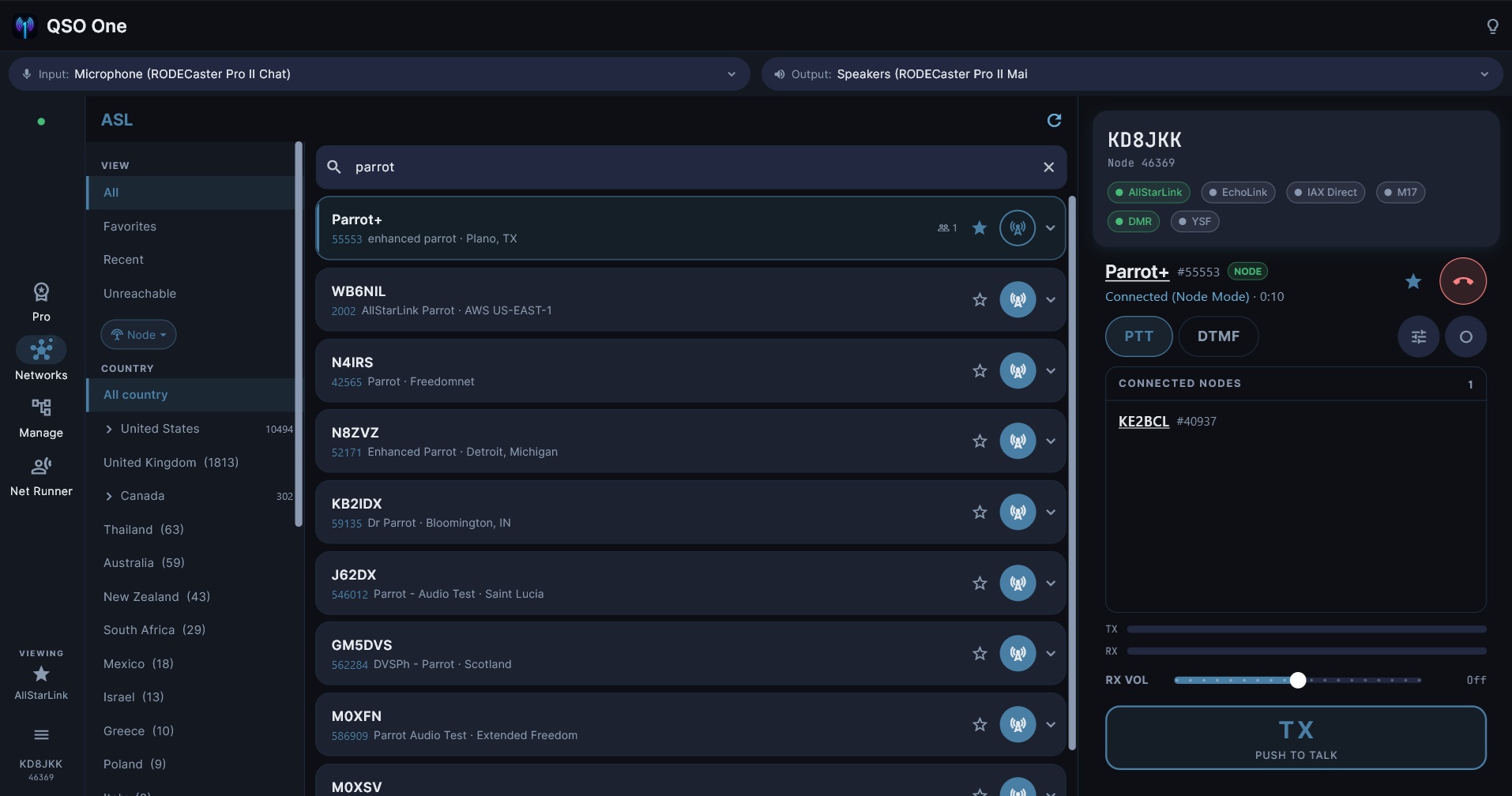
QSO One
Best for: someone who wants one modern application instead of a separate client for every network. QSO One brings AllStarLink, EchoLink, DMR, System Fusion, D-Star, P25, M17 and IAX Direct into a common interface with directories, favorites and push-to-talk controls.
The official download page is the right starting point because it explains supported platforms and directs Windows and Android users to the maintained store versions.
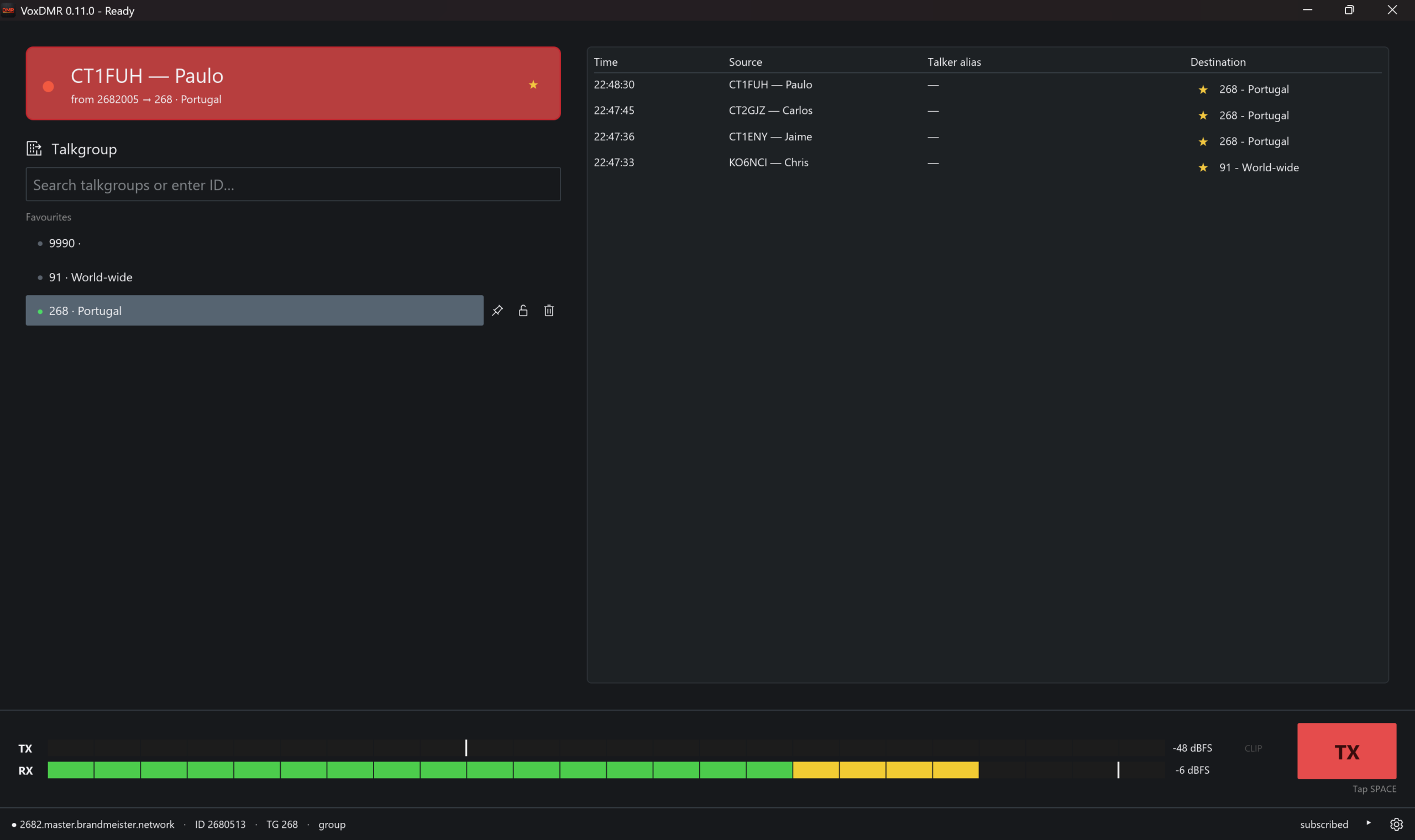
VoxDMR
Best for: trying or regularly using DMR without buying a hotspot. VoxDMR connects directly to BrandMeister, TGIF and compatible DMR masters, provides real AMBE+2 audio, searchable talkgroups, favorites and practical push-to-talk controls.
The official installation guide is especially useful for newcomers because it lists the required DMR ID, network password and exact platform requirements before download.
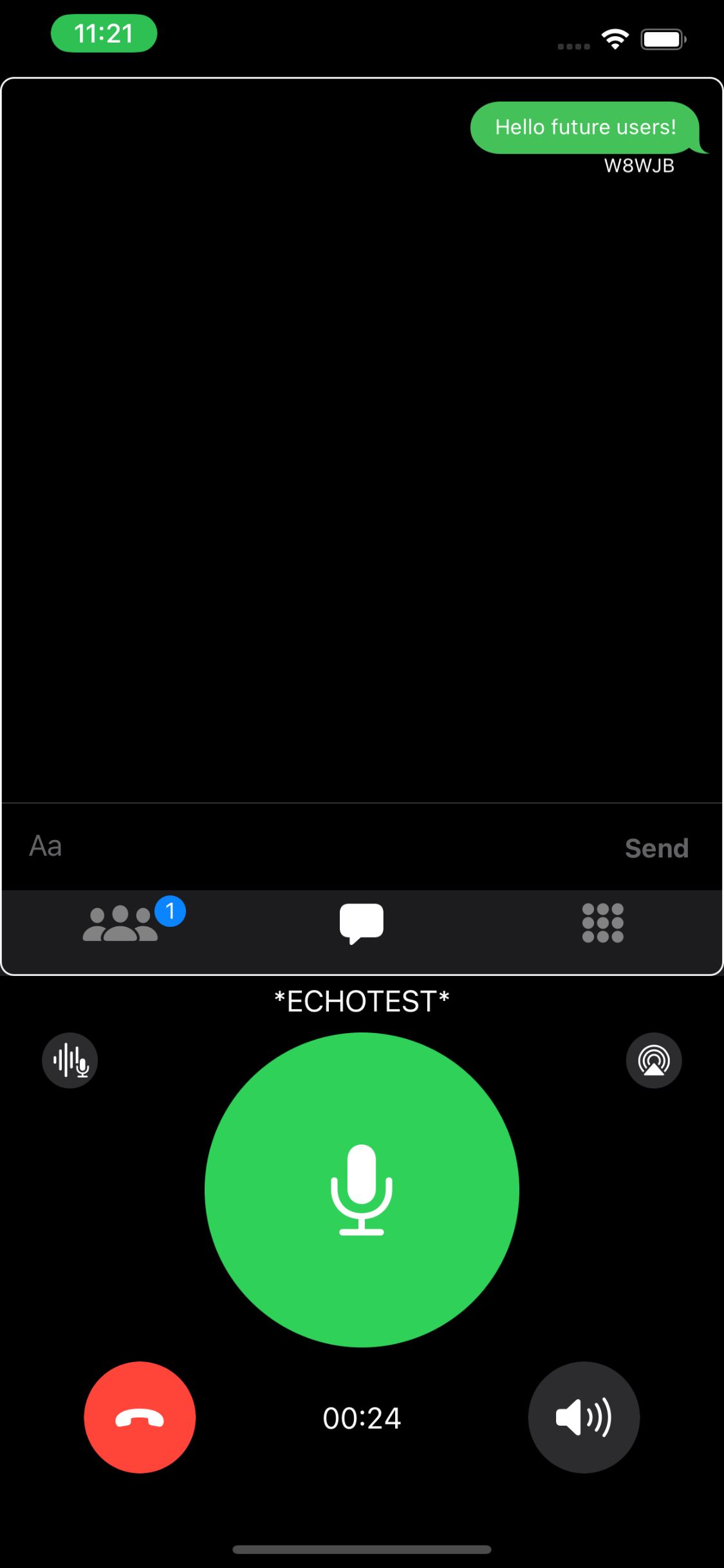
RepeaterPhone
Best for: Apple users who want a polished mobile client for AllStarLink and EchoLink. It provides directory search, favorites, a large PTT control, Bluetooth audio, text chat where supported and useful accessibility features.
The developer’s site explains the capabilities clearly; the App Store listing is the correct purchase and download destination.
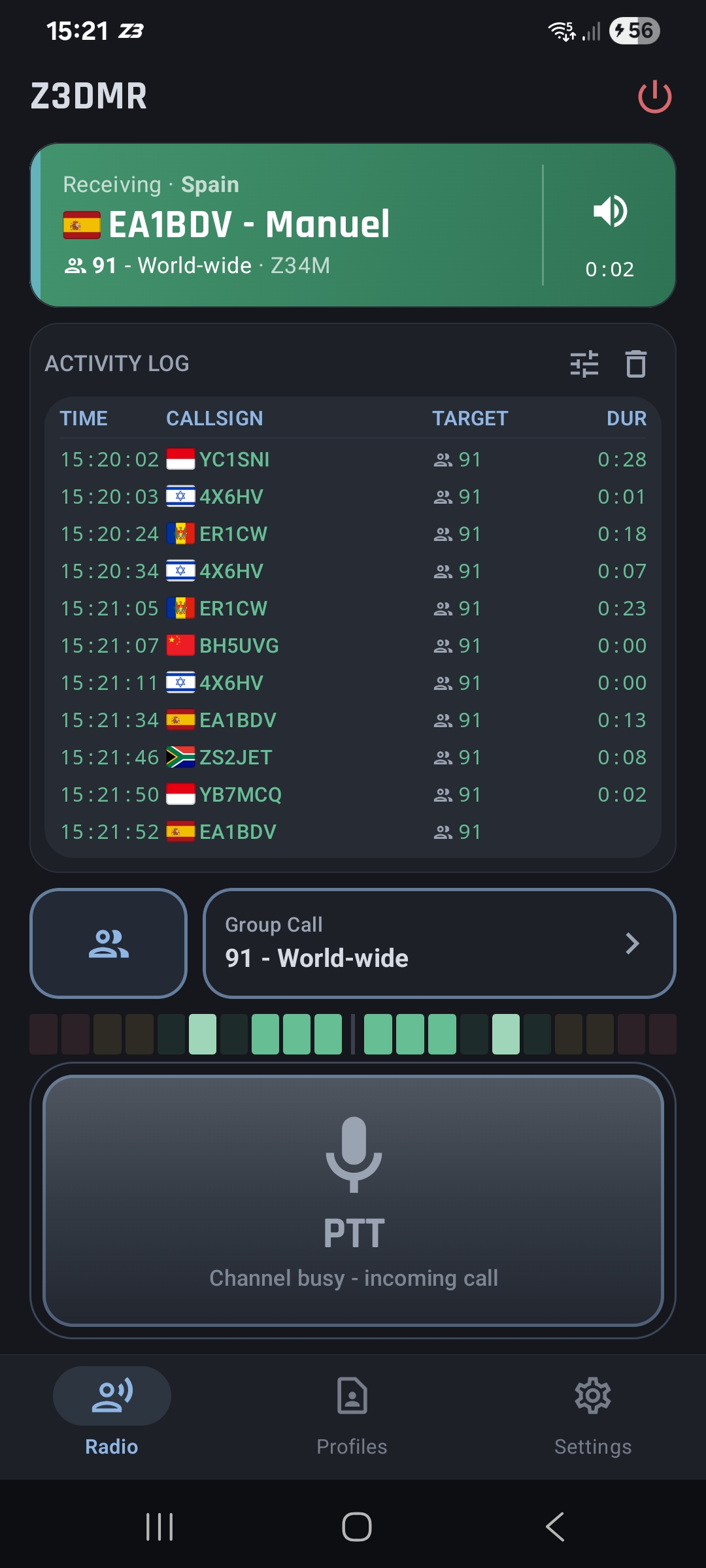
Z3DMR
Best for: Android users who want a focused DMR client with no radio or hotspot. Z3DMR supports BrandMeister, TGIF, IPSC2 and compatible Homebrew masters, includes talkgroup tools and performs AMBE voice processing on the phone.
Use the official project page or its documentation rather than an APK mirror. A valid amateur license, DMR ID and suitable network access are required.
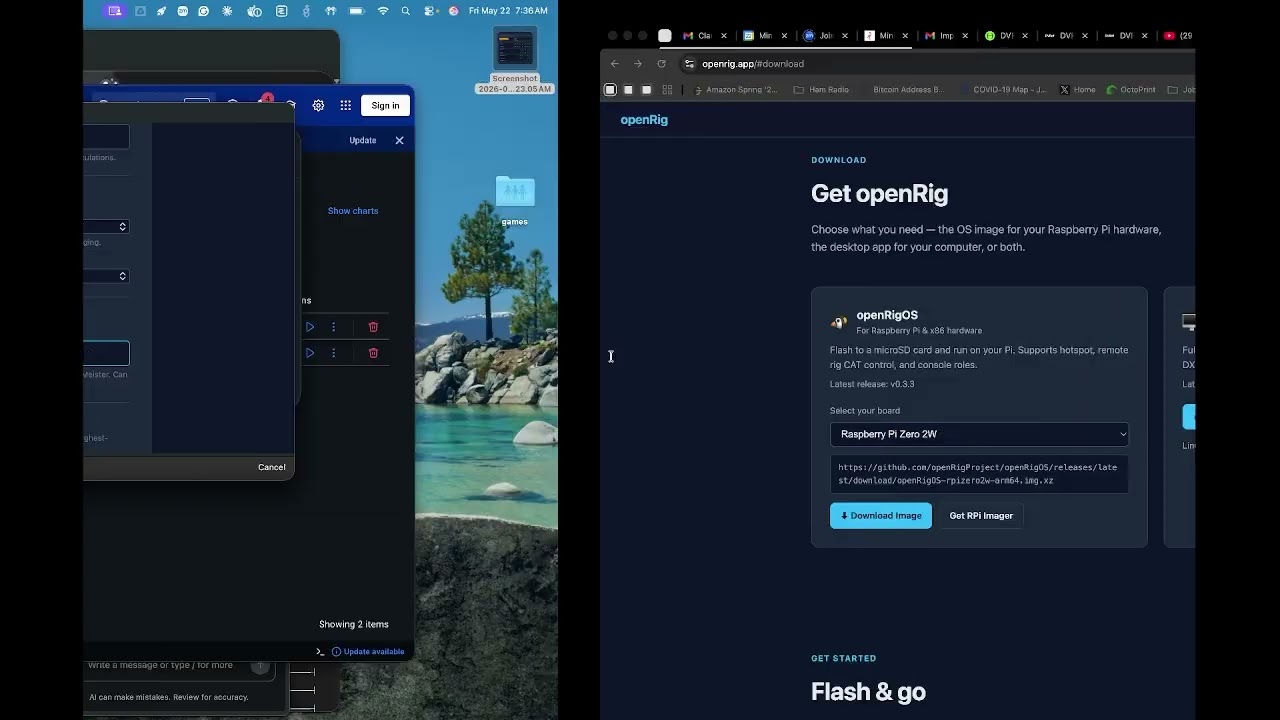
openRig
Best for: experimenters who want an actively developed platform rather than only a phone client. openRig combines openRigOS for hotspot and remote-radio hardware with openRigConsole for logging, DX spots and rig control.
The project homepage is the best target because it separates the downloadable operating-system images from the desktop console and includes a guided walkthrough.
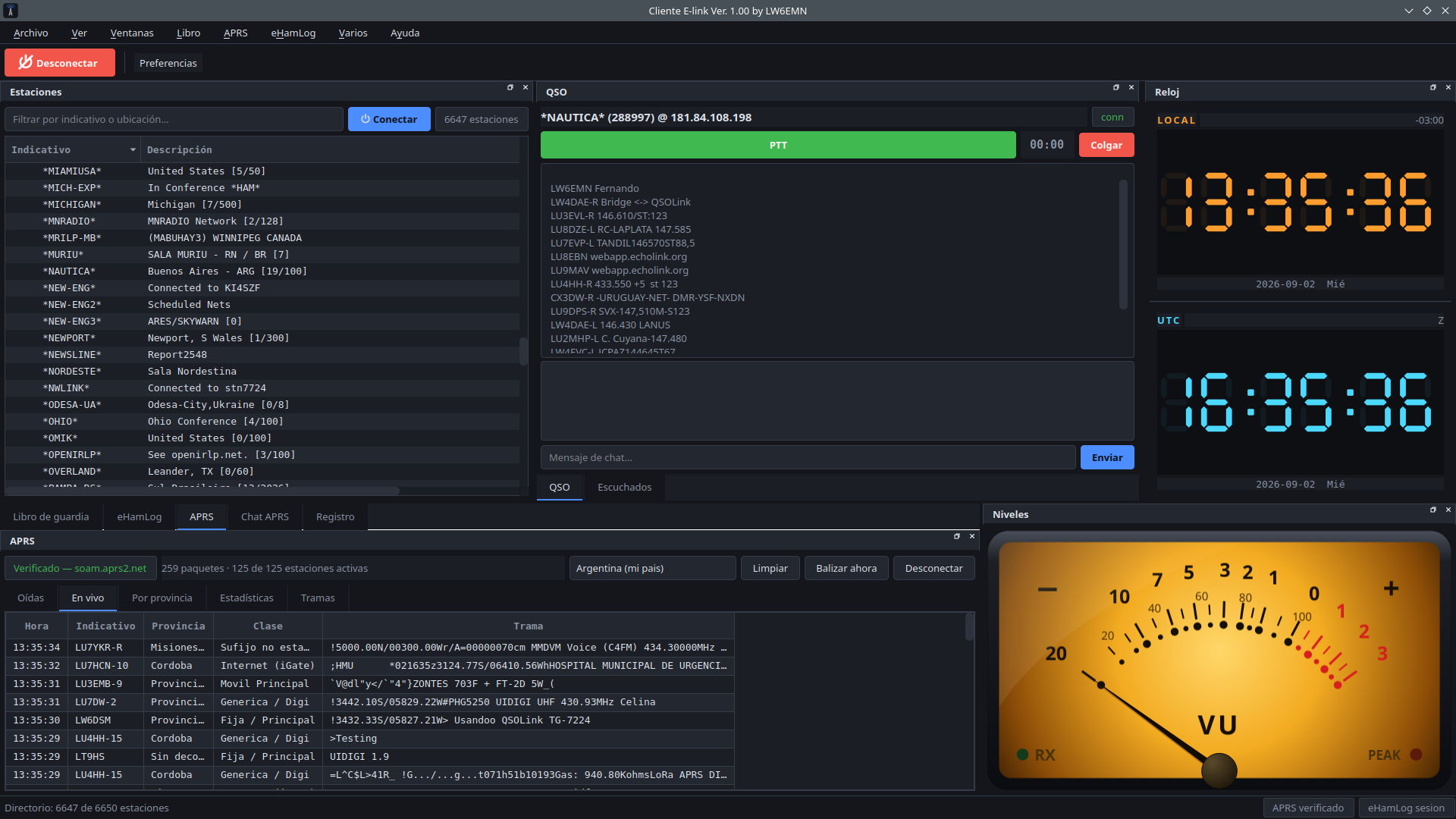
LW6EMN E-link Client
Best for: operators who want a desktop EchoLink station with more than a basic PTT screen. E-link combines the EchoLink directory and live QSO controls with ADIF logging, APRS-IS monitoring and dockable dark-theme panels.
The specific E-link page is a much better destination than the developer’s general homepage because it includes current screenshots, features and direct Windows and Linux downloads.
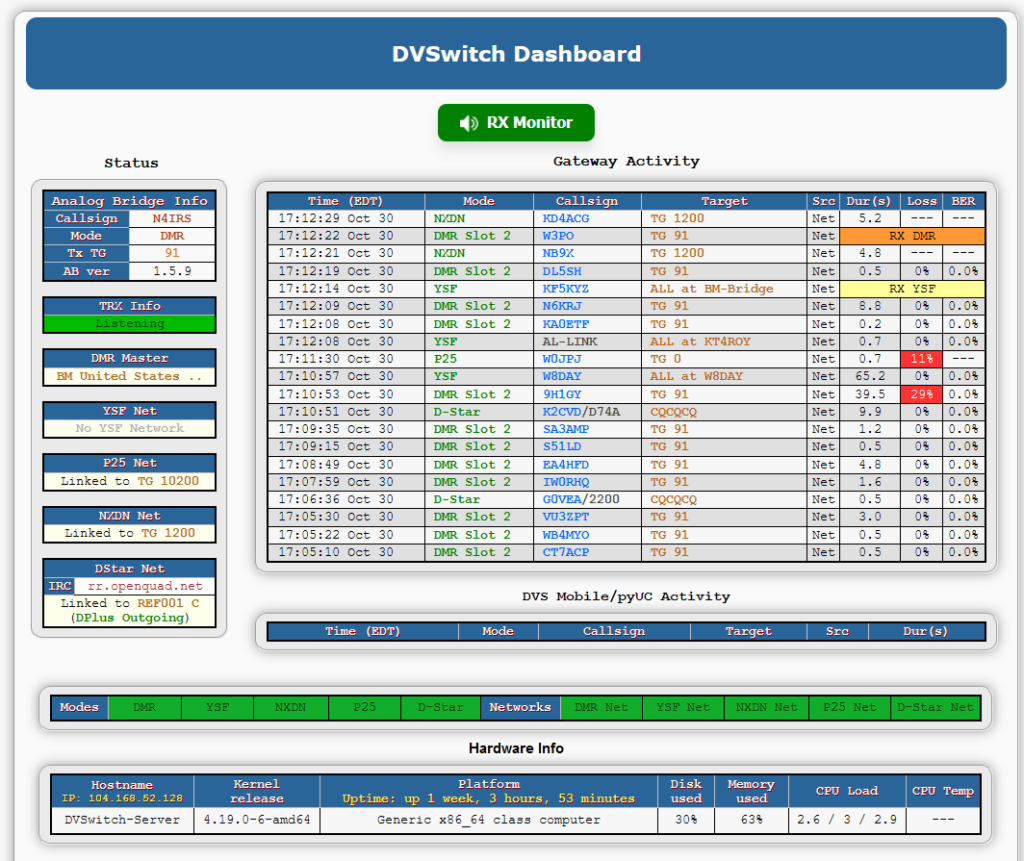
DVSwitch
Best for: the operator ready to build bridges, servers or a private digital-voice appliance. DVSwitch is not merely one phone app: its modular components can connect analog and digital systems, cross modes and support DVSwitch Mobile as a remote client.
The old Groups.io wiki is useful historical support material, but the modern official DVSwitch site is now the clearer front door. It explains the architecture and points to the maintained components and documentation.
Dashboard image courtesy of KG5RDF; used here to show what a configured DVSwitch server looks like.

Allnode Plus
Best for: an operator who wants a supported, ready-to-use hotspot instead of assembling a Raspberry Pi, radio board and several software bridges. Allnode Plus lets an existing analog FM handheld reach AllStarLink, EchoLink, DMR, YSF, NXDN, P25, D-Star and M17 through one device.
A built-in OLED shows its IP address, callsign, node number and current connection. Ethernet, Wi-Fi and a unified browser dashboard handle setup, favorites and network control; the same dashboard can also use a phone or computer microphone and speaker. A valid amateur-radio license and the IDs or accounts required by each network are still necessary.
Physical hardware designed, assembled and supported by Ham Made Products in the United States.
Found a better link?
If one of these stops working or you know a tool that belongs here, send me a message.