Packet Radio
Digital networking, APRS, and radio-based messaging.
Connect computers and exchange messages over amateur radio
Packet radio lets stations send messages and computer data without relying on the internet. This guide explains the radios, TNCs, mailboxes and networks involved, then connects you with real packet activity at K5NWZ.
Packet Radio in Northern Colorado
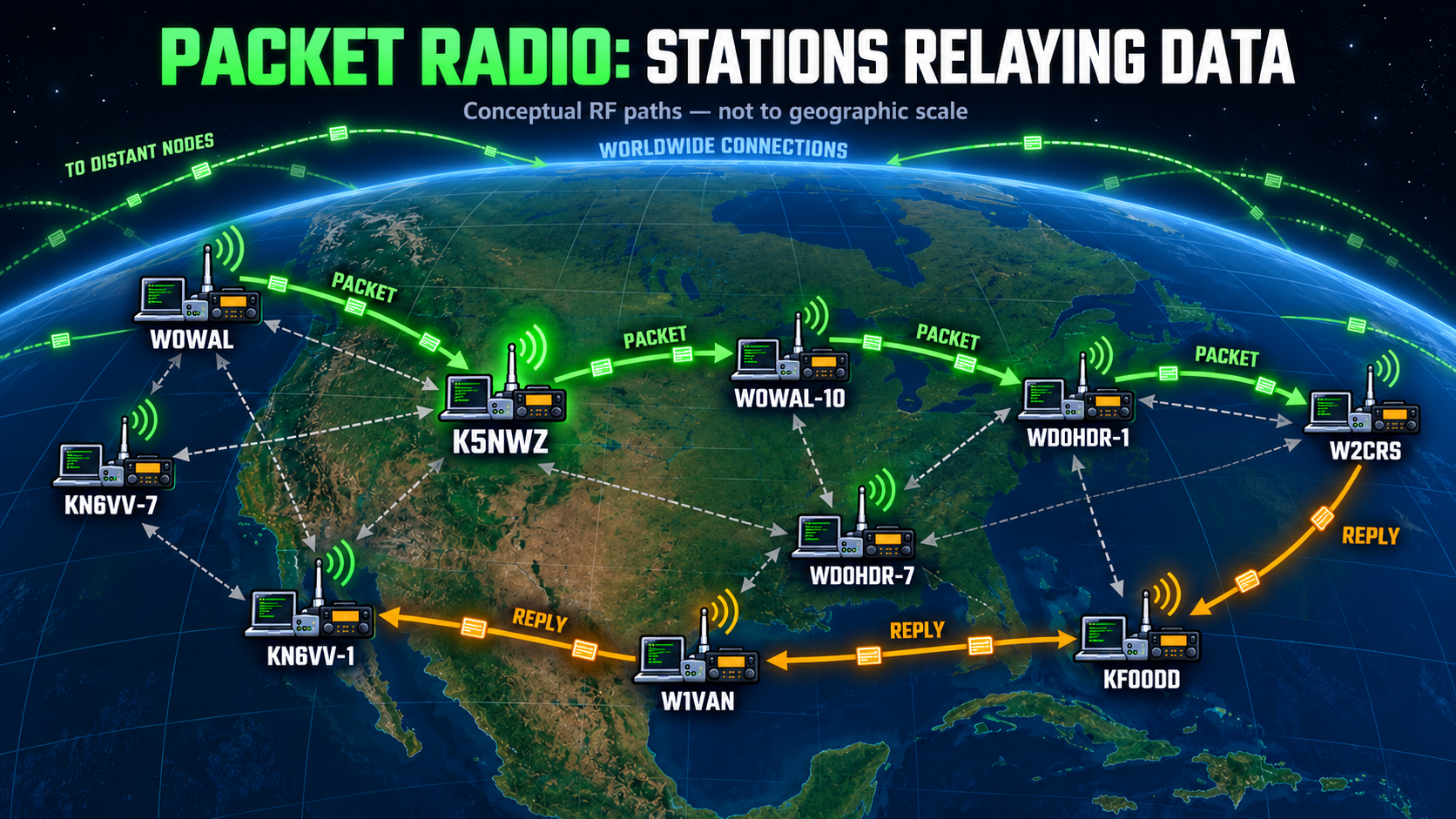
Packet radio is a way for computers to talk to one another over amateur radio instead of the internet. Each station combines a radio with a small computer interface called a terminal node controller, or TNC. The TNC turns typed messages and computer data into short bursts of radio signals, then changes received signals back into readable text.
Long before smartphones and WiFi, amateur radio operators were using this technology to exchange digital messages, connect to bulletin board systems, and build radio-based networks. Much of the activity consists of automatic beacons announcing a station, node, mailbox, or service—but people also use packet radio to send real messages to one another. Watch the live packet traffic below, or scroll back through it, and you may catch a conversation unfolding. Some messages travel directly between two nearby stations, while others are passed through several packet nodes to reach someone much farther away.
My station, K5NWZ, operates 24/7 on 145.050 MHz here in Northern Colorado. If you tune in, you’ll hear active stations connecting to BBS systems, personal mailboxes, nodes, and Winlink gateways.
Hear and See Packet Radio
A packet is usually over in less than a second. Use this short teaching example to hear the familiar 1200-baud Bell 202 AFSK tones. The audio is a protocol-based AX.25 reference generated in your browser—not a recording from another station. The earlier waterfall drawing has been removed; an actual K5NWZ SDR capture will replace it after a clear packet is caught on-air.

Keep your volume moderate. The burst lasts about one second.
What to notice: the rapid warbling is data, not speech. A TNC changes those two audio tones back into callsigns, commands and messages.
My home BBS is the WARS BBS owned and operated by my friend Tom, KN6VV.
To send me packet mail, address it to:
K5NWZ@KN6VV
My personal mailbox runs as K5NWZ-1.
What You Can Do on Packet Radio
Packet radio is more than a stream of automatic station beacons. It is an interactive radio network. Once connected, an operator can explore nodes, sign into bulletin-board systems, read public bulletins, check private mail, leave messages for people who are not currently online, and sometimes route a connection through several stations to reach a more distant service.
- Connect to nodes that help route you toward other stations and services.
- Read public bulletins covering amateur radio, DX, technical news, weather, space weather, emergency information and local activity.
- Send and receive packet mail, including messages stored for an operator who is not currently connected.
- Use personal mailboxes such as K5NWZ-1 or connect to a full BBS such as the WARS BBS.
- Watch the network work as packets are repeated or routed through nodes, digipeaters and gateways.
What Is a Packet BBS?
A packet BBS is a radio-accessible bulletin-board system. It works much like the dial-up computer bulletin boards that existed before the modern web, except your computer reaches it through an amateur-radio station. After connecting, you are greeted by a menu or command prompt. Depending on the BBS, you can list and read public bulletins, check personal mail, send a message, review station information, or move toward another available network service.
BBS systems use store-and-forward messaging. A message or bulletin can be saved when it arrives and collected later, so the sender and recipient do not need to be connected at the same time. Some BBS stations also exchange bulletins with other systems, allowing useful information to move through a wider packet network.
How a Packet Connection Travels
The TNC turns typed data into AX.25 radio packets and changes received packets back into readable text.
What My Station Hears (MHEARD)
This read-only MHEARD display shows packet-radio stations heard directly over the air by my K5NWZ station in Loveland, Colorado, on 145.050 MHz. The TNC collects their callsigns and last-heard times during normal monitoring. The TNC list refreshes every 10 minutes, and this webpage checks for published updates every 5 seconds. The display pauses whenever direct TNC control or Tera Term access is active.
| Callsign | Last heard | Frequency / channel | Path | Age |
|---|
Live Packet Traffic
This read-only display is a running sample of AX.25 packet traffic received over the air by the K5NWZ Packet Bridge in Loveland, Colorado. Most of what you will see is individual station beacons—short, automated announcements that identify a station, node, mailbox, or service. Keep watching, or scroll back through the retained traffic, and you may also catch actual communications moving back and forth between packet stations and network nodes. Some exchanges are relayed through several nodes as they work their way toward a more distant destination. The display shows the most recent decoded packet text and the stations that sent it, giving visitors a real-time look at activity on 145.050 MHz. The webpage checks for updates every 5 seconds and reports when the bridge is live, paused, stale, or offline. It cannot transmit or control the TNC.
See the live packet traffic on the SDR: the receiver is tuned to 145.050 MHz with the Packet decoder selected. You’ll see the same over-the-air activity as short bursts on the waterfall, followed by decoded callsigns, beacons, and messages when stations transmit.
How to Read the Live Packet Traffic
A packet line usually identifies the station that transmitted, the destination or type of traffic, an optional relay path, a time, and the decoded message. Here are the most common labels you will encounter in the display:
- BEACON — an automatic announcement identifying a station, node, mailbox or service.
- ID — identification sent by a station, node or digipeater.
- MAIL — traffic from a mailbox or BBS, sometimes announcing waiting messages.
- FBB — bulletin-board message or forwarding traffic.
- EATON* or HORSE* — a relay path; the asterisk identifies a station that handled the packet.
- Connected and Disconnected — the beginning or end of an interactive packet session.
A Brief History of Packet Radio
Packet Radio began taking off in the late 1970s and early 1980s when amateur operators adapted the AX.25 protocol for use over VHF radio.
Instead of voice, stations transmitted digital “packets” of data. These packets could carry:
• Keyboard messages
• Bulletin board posts
• Files
• Routing information
• Email
By the 1980s and 1990s, Packet networks were everywhere. Hams built interconnected systems of:
• Digipeaters
• Nodes
• Personal mailboxes
• Full Bulletin Board Systems (Check out the WARS bbs here in NOCO)
Packet networks allowed operators to exchange messages across cities and states—and, through interconnected systems, sometimes much farther—all without relying on ordinary telephone or commercial internet service. It was a radio-based internet before most households had dial-up.
Packet became a backbone for:
• Emergency communications
• Formal traffic handling
• Early digital email
• Network experimentation
• Infrastructure-independent messaging
Many modern digital systems such as APRS and Winlink trace their roots directly back to Packet Radio.
While internet connectivity reduced casual usage, Packet never disappeared. It remains one of the most educational and technically satisfying modes in amateur radio.
My Packet Station (LOVE)
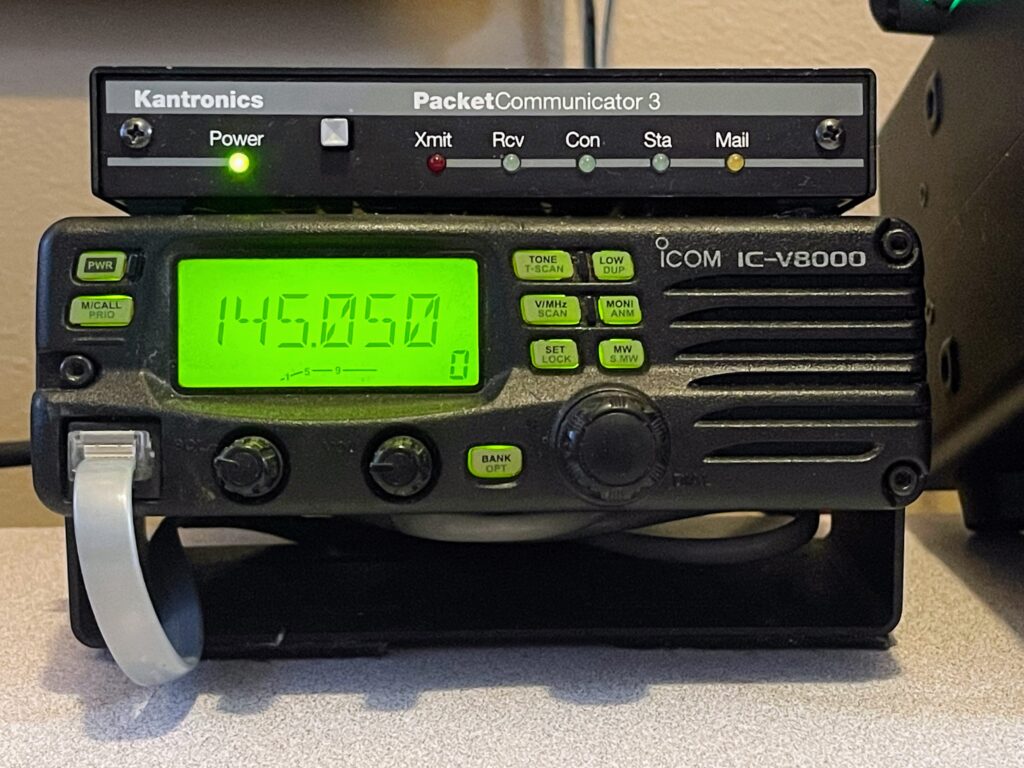
Main Base Station
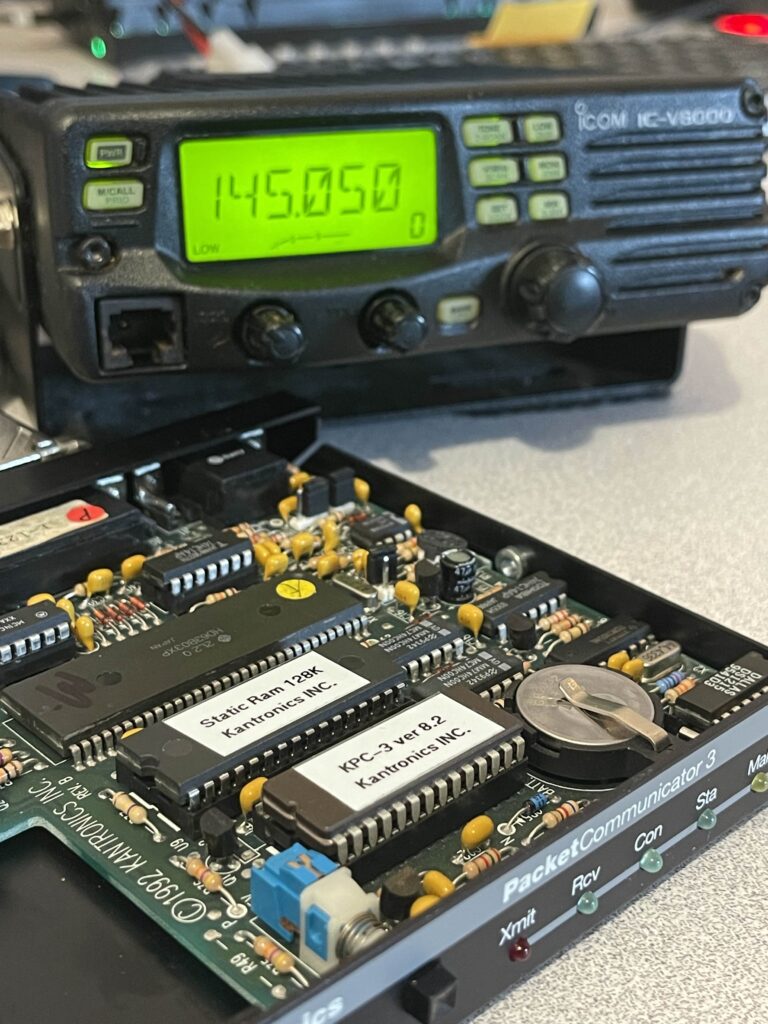
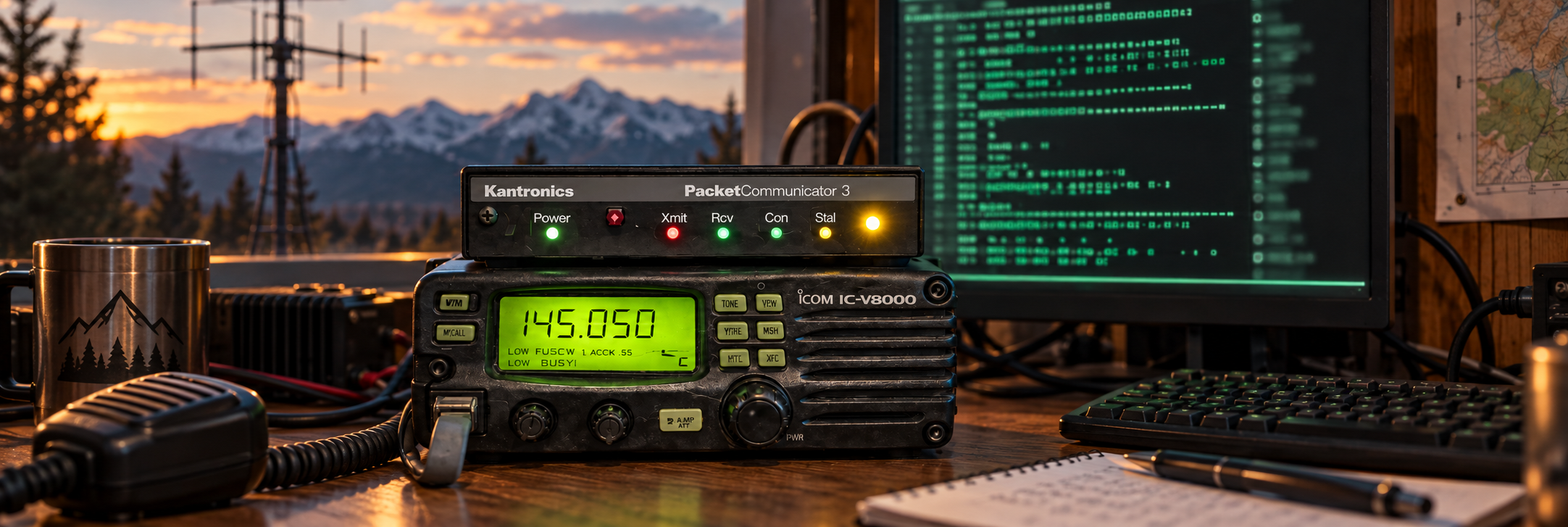
My primary Packet station consists of:
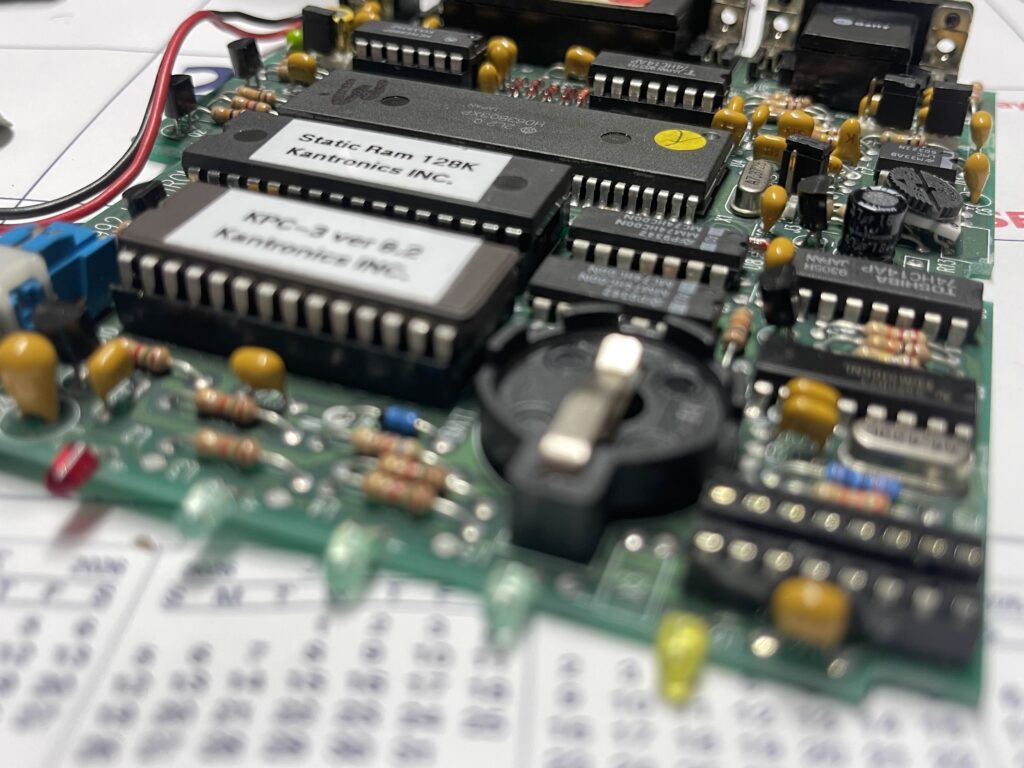
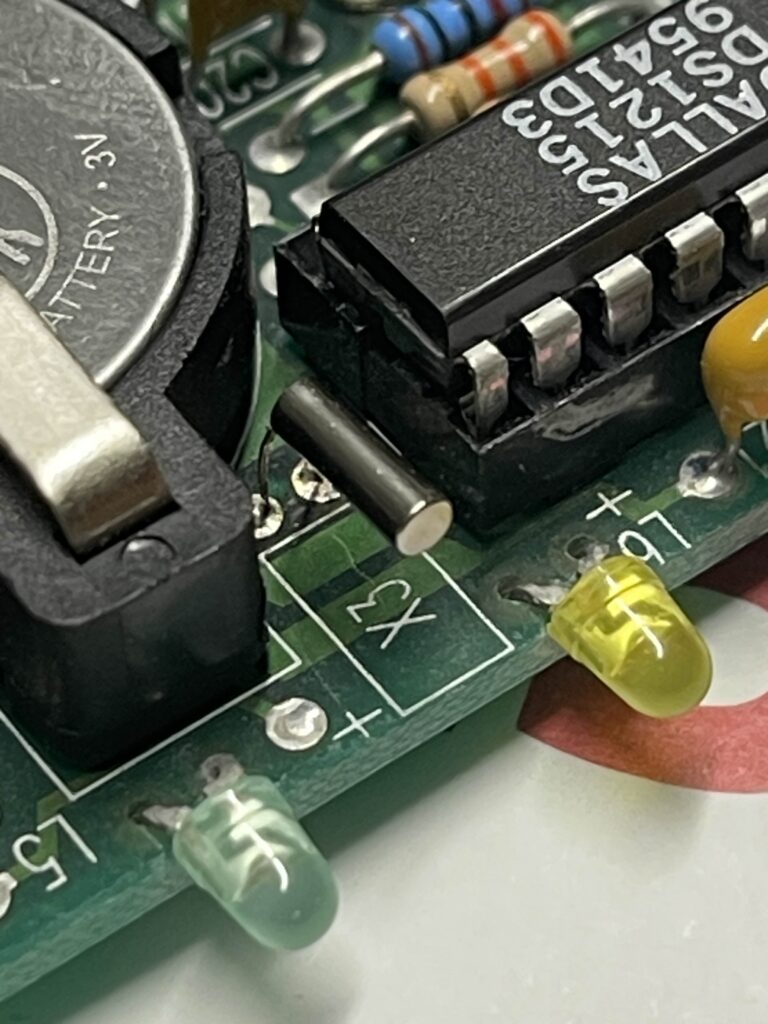
• Kantronics KPC-3 TNC
• ICOM IC-V8000 2 meter mobile radio
• A modest dual band mobile antenna mounted on the roof
The KPC-3 handles the AX.25 protocol and packet decoding. The IC-V8000 provides reliable, clean RF at solid power levels. The roof-mounted antenna gives me consistent coverage across the region.
This setup runs as my main station and mailbox.
Portable and Secondary Access
I also operate Packet using a BTECH UV-PRO with a built-in TNC. It’s an easy way to get on the air without external hardware.
For control and connections:
• I use Packet Commander on my iPhone to access other Packet stations and BBS systems.
• I use the iPhone app Radiomail for Winlink over RF.
It’s amazing how portable Packet has become compared to the early days of dedicated terminals and desktop computers.
Access Your Packet Radio Station From Anywhere
One of the coolest things I’ve done with packet radio is connect my station to Home Assistant.
The result is that my packet station is no longer something I can only use while sitting in front of the computer in my radio shack.
I can now stay connected to my packet station from virtually anywhere in the world that I have Internet access.
Bringing Packet Radio Into the Modern World
The packet side of the station is still real amateur radio.
My radio and TNC communicate over RF just as they always have. The difference is that I’ve connected the packet computer into Home Assistant, which gives me a bridge between the radio equipment sitting in my shack and the devices I carry with me every day.
The basic system looks like this:
Packet Radio → TNC → Packet Computer → Home Assistant → Any web browser or even my Phone / Apple Watch
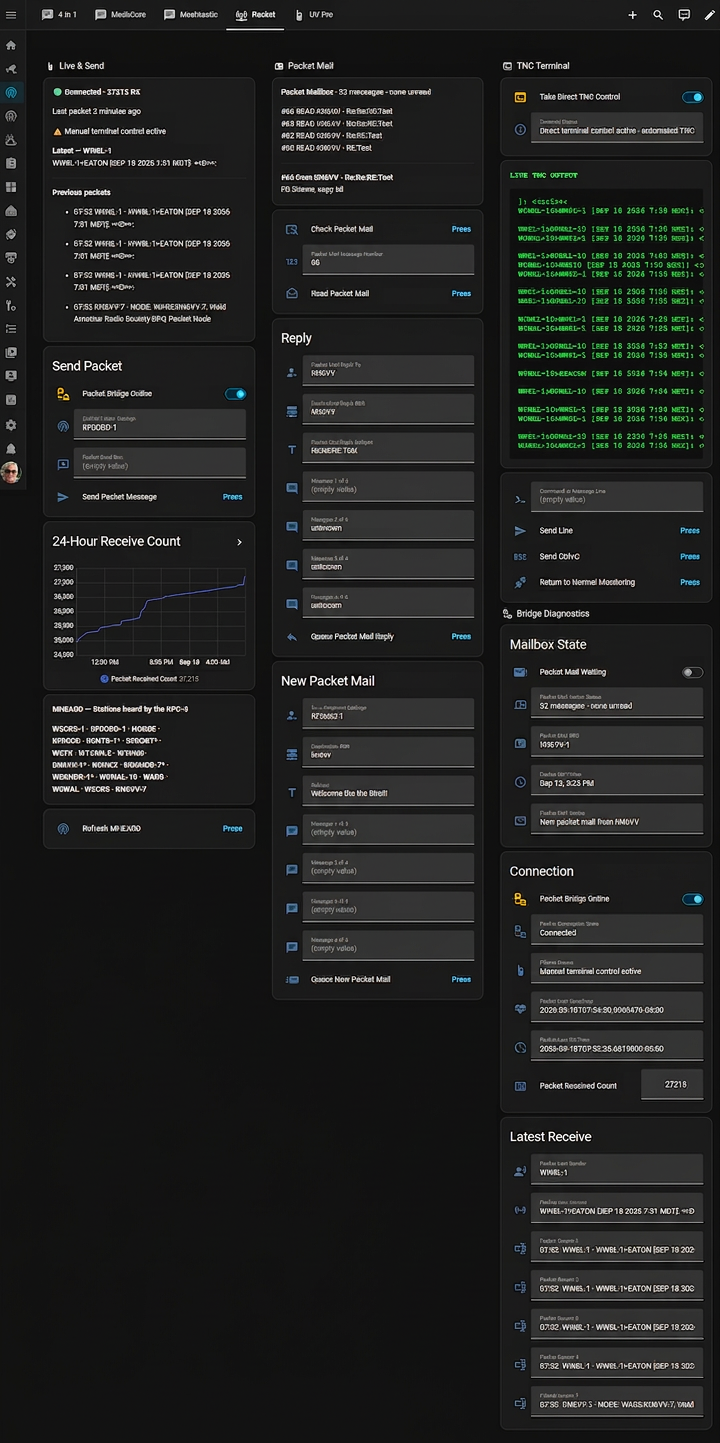
Now packet activity can reach me instead of me having to continually check the packet station.
I can receive notifications on my phone and even on my Apple Watch while I’m away from home. I can send and receive messages too!
That could mean being at work, driving across town, out on a trip, or potentially hundreds or thousands of miles away from the station.
My packet equipment stays in the shack doing what it normally does.
I don’t have to stay there with it.
Why I Think This Makes Packet Radio More Useful
Packet radio has always fascinated me, but one of its weaknesses is that it can be very easy to forget about.
You connect to a BBS, leave someone a message, check your mailbox occasionally, and wait for something else to happen.
Adding Home Assistant changes that experience.
Instead of periodically checking the station to see whether something happened, the station can tell me.
That opens up some very interesting possibilities:
- Packet notifications on your phone
- Notifications on an Apple Watch or other smartwatch
- Send and receive Packet Mail
- Access any BBS just like you would on a terminal
- Remote packet station monitoring
- Station status from outside the shack
- Home Assistant automations triggered by packet activity
- Integration with dashboards and other radio systems
- Future connections with APRS, MeshCore, Meshtastic and other amateur-radio projects
And we are only beginning to explore what can be done with it.
You May Already Own Most of What You Need
If you already operate packet radio, you may already have most of the expensive part of the system:
A radio, TNC and computer.
Home Assistant itself is free and open-source.
It can run on inexpensive hardware such as a Raspberry Pi and remain operating continuously in the background.
The exact method of connecting everything together will depend on the packet software, TNC, computer and station configuration being used, so there probably won’t be one single configuration that works for everybody.
That is actually part of what makes this project interesting.
Let’s See Where We Can Take This
Northern Colorado already has a great group of packet operators and an established RF network.
I’d like to see what happens when we start combining that network with modern tools such as Home Assistant, mobile notifications, dashboards and automation.
This isn’t intended to be a system where everyone has to duplicate my station exactly.
It is an experiment.
If you operate packet radio, have a TNC sitting on the shelf, run Home Assistant, or simply think this sounds interesting, I’d like you to join the conversation.
Share your station.
Share what works.
Share what doesn’t.
Help improve the system.
And let’s see what we can make packet radio do next.
Join the Discussion
The ongoing discussion about Packet Radio + Home Assistant is happening on the K5NWZ Discord server.
If you want to experiment with connecting your packet station to Home Assistant, or if you have ideas for improving what we’re building, come join us.
K5NWZ.com is where I’ll document the project.
Discord is where we’ll build it together.
How You Can Get Started
You do not need expensive gear to jump into Packet Radio.
You can:
Use a Traditional Hardware TNC
Classic hardware TNCs such as the Kantronics KPC-3 remain excellent packet-radio devices and are often available on the used market. You can also experiment with software TNCs such as SoundModem, which use a computer sound card instead of a dedicated hardware TNC.
Use a Radio with a Built-In TNC
Radios like the UV-PRO simplify everything into one device.

Use Soundmodem
You can run a software TNC like Soundmodem on your computer.
Soundmodem uses your computer’s sound card as the TNC. With a simple audio interface to your radio, you are fully operational on Packet without dedicated hardware.
It is one of the most affordable and flexible ways to experiment.
Packet-Radio Glossary
AX.25 — The communication protocol traditionally used for amateur packet radio.
BBS — A bulletin-board system containing public bulletins, private messages and station information.
TNC — A terminal node controller, the device that converts computer data into radio packets and back again.
Node — A station that accepts connections and can provide access to other stations or services.
Digipeater — A digital repeater that receives and retransmits packets.
Beacon — An automatic station announcement.
Mailbox — A station where messages can be left and retrieved later.
SSID — The number following a callsign, such as -1 or -7, used to identify a particular station or service.
MHEARD — A TNC list showing stations recently heard over the air.
Winlink — A radio messaging system that can exchange email-style messages through compatible gateways.
Why Packet Still Matters
Packet teaches:
• Digital networking over RF
• Store and forward messaging
• Node routing
• Protocol fundamentals
• Self-reliant communications
It works without the internet.
It encourages tinkering.
It rewards experimentation.
If you enjoy mesh networks, digital modes, and building systems that operate independently, Packet Radio is a natural fit.
Come Tinker With Us
If you are in Northern Colorado, tune to 145.050 MHz and see what you hear.
Connect to the WARS BBS.
Send a message to K5NWZ@KN6VV.
Check out mailbox K5NWZ-1.
Dust off that old TNC. Try Soundmodem. Hook up a cable and watch the text scroll across your screen.
Packet Radio is one of the most satisfying corners of amateur radio.
There is always room for one more station on frequency.
See you on 145.050 MHz.
We invite you to join us on our discord server for information and set up help.
Special thank you to KN6VV
I want to personally thank Tom, KN6VV, for encouraging me to dust off my old KPC-3 and get it back on the air. Not only did he talk me into bringing packet back to life in my shack, he also provided the component needed to upgrade my TNC and walked me through configuring everything step by step until I was up and running.
I do not think anyone would disagree when I say that Tom played a major role in resurrecting packet radio here in Northern Colorado.
Thank you, Tom.