See, hear and decode radio signals in your browser
Tune a live receiver, watch the waterfall, and explore real radio signals—no radio or license required.
Explore real radio signals received at K5NWZ in Northern Colorado. You can watch the spectrum, hear activity, and learn what different signals look like—without owning a radio or holding an amateur license.
One antenna, many frequencies—and an important compromise
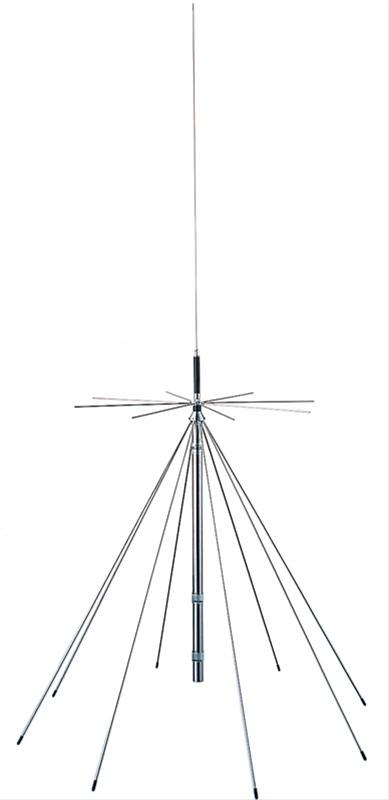
This SDR uses a discone antenna. Its broad design lets one antenna receive a wide range of signals instead of being built for only one band. That flexibility makes it a good general-purpose antenna for exploring the spectrum.
The tradeoff is performance. A discone is reasonably capable across many frequencies, but it is not optimized to be exceptional on any one of them. A dedicated antenna made for a specific band will usually hear weaker signals better on that band.
What this means for you: start with strong or nearby VHF and UHF signals. If something sounds weak or is missing, the cause may be antenna efficiency, feed-line loss, local electrical noise, terrain, distance or propagation—not a problem with the receiver. Think of this SDR as a wide listening window, not a perfect antenna system for every frequency it can tune.
Choose Something to Hear
New to radio? Start with a familiar voice signal, then try the digital examples. Each choice opens the live receiver already tuned to the right frequency and mode.
NOAA Weather
2-Meter Simplex
APRS
Packet Radio
FT8 on 20 Meters
SSTV on 20 Meters
Meshtastic
MeshCore
WWV Time Station
For Meshtastic and MeshCore Visitors
Two networks, two dedicated profiles
The profile handles the tuning and decoder
These real K5NWZ waterfall captures show Meshtastic with more visible traffic and MeshCore during a quieter interval. Activity changes over time. Use the matching link below to open the live receiver already tuned to that network’s profile and decoder.
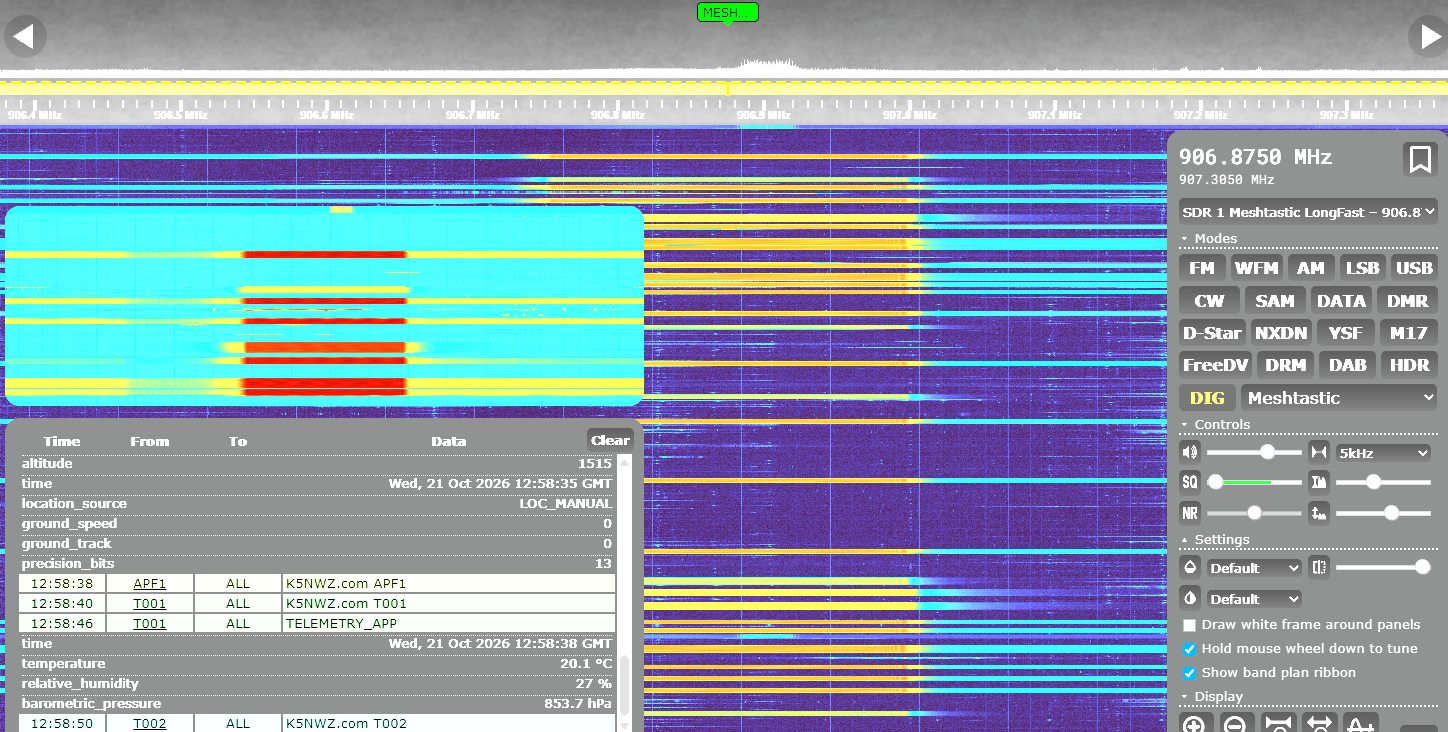
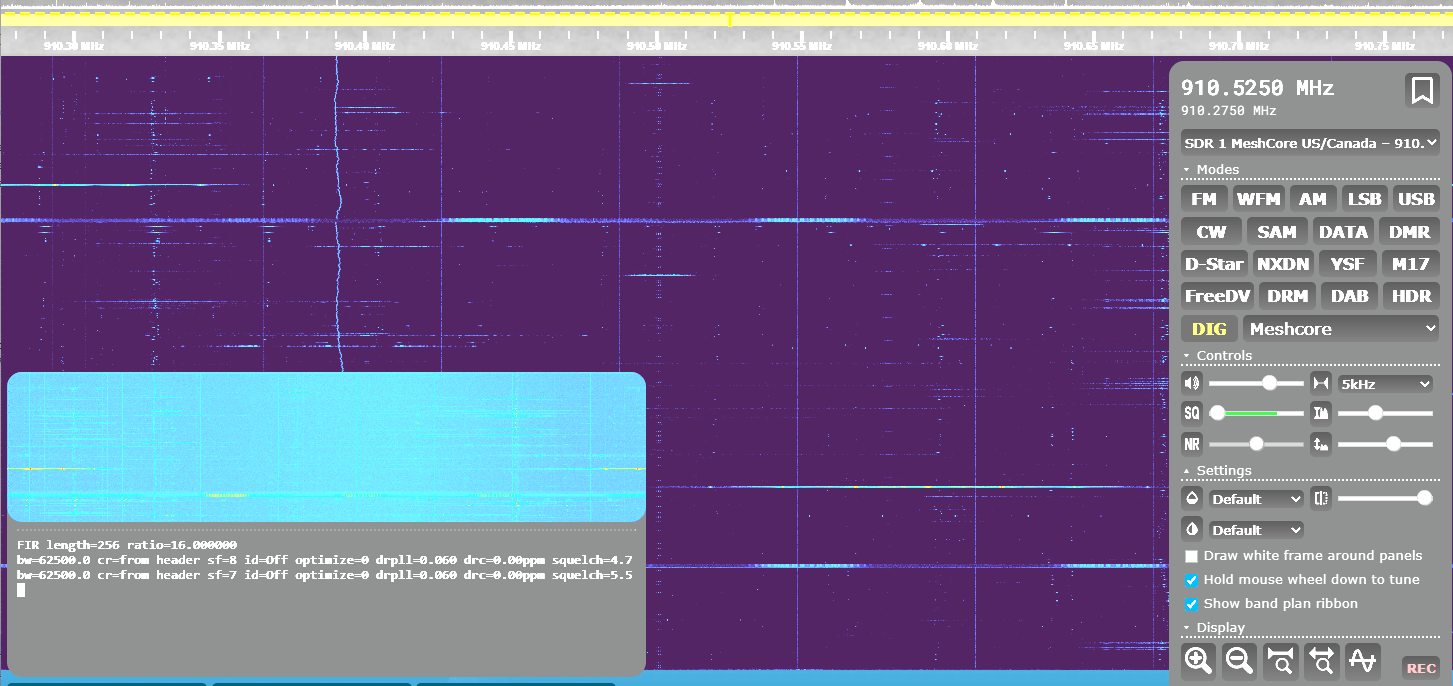
After selecting the Meshtastic or MeshCore profile and confirming that it is tuned and decoding, look across the main OpenWebRX toolbar near the top of the receiver. Click Map, located between Receiver and Files.
A separate map page opens and plots received nodes that transmit valid location reports as packets arrive. Nodes without location data will not appear.
Shared receiver: another visitor can change the active profile. If the display moves, select your profile again. A future dedicated LoRa receiver would allow continuous mesh monitoring without competing with visitors using other radio bands.
Learn to Read the Waterfall
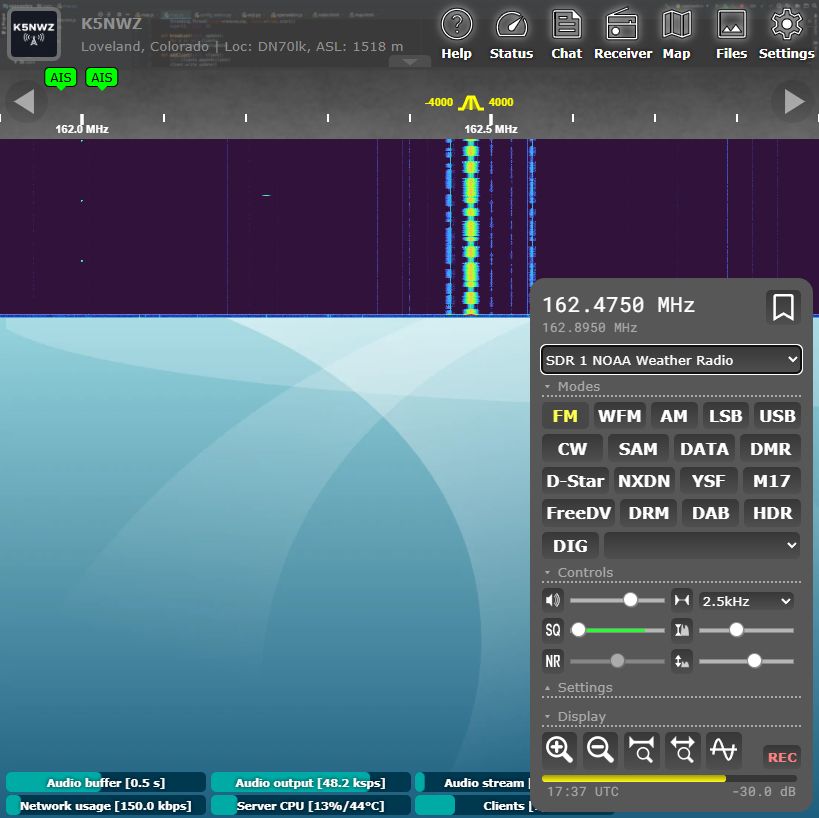
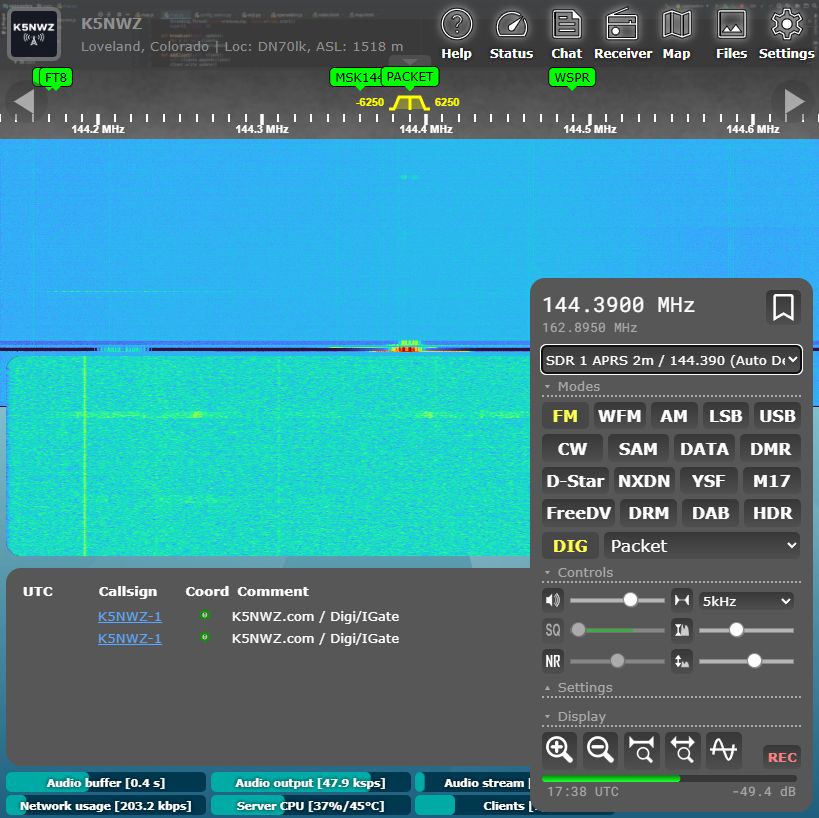
The waterfall is a moving picture of radio energy. Frequency runs left to right, and new activity appears at the top and moves downward over time. The examples below were captured live from the K5NWZ receiver after the waterfalls had time to fill. NOAA weather radio provides a steady voice signal; APRS adds short packet bursts and a populated decoder list.
Use This Guide Beside the Live Receiver
For the easiest first visit, keep this guide open in one window and the live SDR in another. On Windows, drag one window to each side of the screen or use Windows key + Left Arrow and Windows key + Right Arrow.
1234123Ask the SDR Guide
Choose a common question or type a short question. This on-page helper answers the practical beginner questions without changing the live receiver.
Profile Practice
This profile helper does not control the live receiver. Choose an activity to see the exact frequency, mode and receiver profile to use in OpenWebRX+.
Weather stations often transmit continuously, making this a friendly first signal.
Band Explorer
HF: signals from far beyond Northern Colorado
Try 20 meters for FT8, SSTV, and amateur voice. HF changes dramatically with sunlight and the ionosphere.
Hear the Difference
These browser-generated examples are labeled by confidence. FM uses an actual spoken reference with receiver-style filtering. APRS and Packet Radio use 1200-baud Bell 202 AFSK. RTTY and FT8 are protocol-based synthesized references using published tone timing—not off-air recordings. Receiver noise is filtered hiss. DMR, Meshtastic and MeshCore audio has been removed until verified off-air recordings can be captured from the K5NWZ SDR.
Choose an example. Keep your volume moderate.
Coming next: verified off-air DMR and LoRa recordings paired with the exact receiver settings and matching waterfall captures.
Continue Exploring K5NWZ Digital Radio
Signal Identification Challenge
Which waterfall pattern most likely represents an APRS packet?
Keep These Details Handy
Which profile should I choose?
Use the exact profile name on the reference cards above. NOAA, APRS, Packet, and 2-Meter Simplex each have dedicated profiles. FT8 and SSTV begin with the general 20-meter profile.
Why did the frequency change by itself?
This is a shared receiver. Another visitor may choose a different profile or frequency while you are listening.
What if I hear nothing?
Radio activity comes and goes. Try NOAA Weather for a steady signal, try another profile, or return at a different time of day.
The Controls in Plain Language
| Receiver profile | A saved starting point that chooses the band, frequency, listening mode, and sometimes a decoder. |
| Waterfall | The moving spectrum display. Bright shapes show signals over time. |
| AM / FM | Common voice modes. Aviation usually uses AM; local VHF and UHF voice usually uses FM or NFM. |
| USB / LSB | Single-sideband modes used mainly for HF voice and many digital signals. |
| Squelch | Mutes background hiss until a signal is strong enough. Useful for FM voice; less useful for weak signals. |
| Tuning step | Controls how far the frequency moves with each tuning adjustment. |
| Decoder | Turns supported digital signals—such as APRS, FT8, or SSTV—into readable information. |
What Is Software Defined Radio?
A traditional radio relies heavily on dedicated hardware circuits. An SDR performs much of that signal processing in software. That lets one receiver cover many bands and modes while also showing a wide slice of spectrum on screen.
Inexpensive USB SDR receivers often cost roughly $30–$50, making them an approachable way to explore amateur radio, aviation, weather broadcasts, shortwave, digital modes, satellites, and local radio activity. The K5NWZ receiver lets you try the experience before buying anything.
Before You Begin
- This is a shared receiver. Another visitor may change the profile or frequency while you are listening.
- The elevated wideband discone antenna covers many frequencies, although a band-specific antenna may hear a particular band more strongly.
- HF reception changes with time of day, season, solar activity, and ionospheric conditions.
- You cannot transmit through this page. It is a safe, read-and-listen-only learning tool.
- The built-in Chat panel lets visitors compare discoveries. Questions are also welcome on the K5NWZ-SDR Discord channel.
Ready to Explore?
Choose a receiver profile, watch for a bright signal, and click it. You are not going to break anything by exploring.