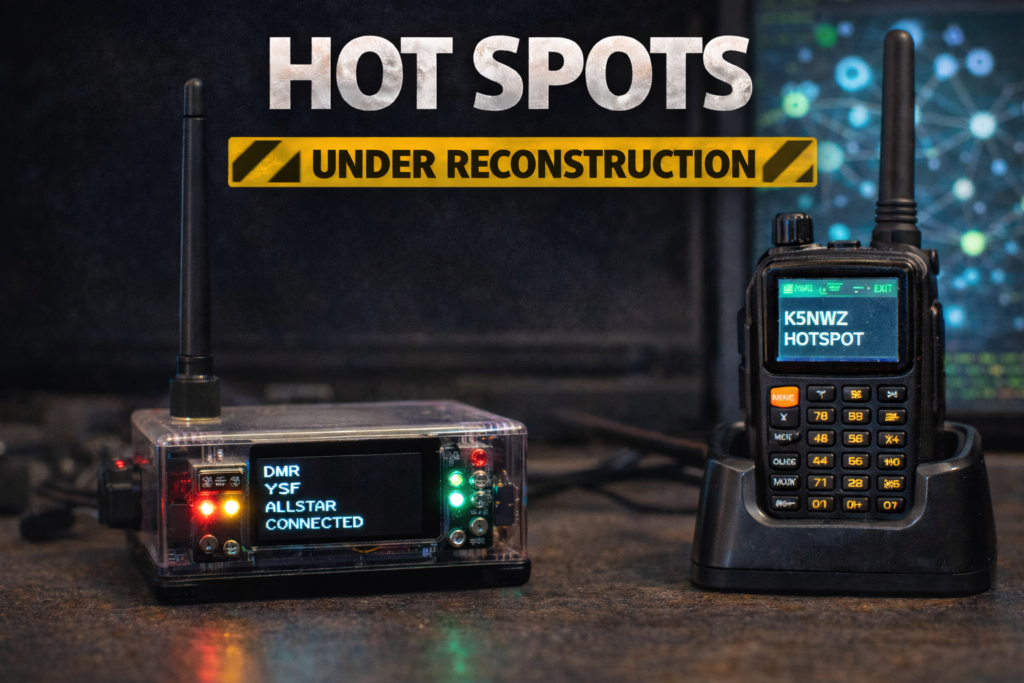
Coming Soon…
- Repeater Phone
- How to access without a hotspot
- Networks to connect to
Live Streaming Audio Feed from K5NWZ Allstar, DMR and Echolink
Below is a bubble chart of the currently connected nodes. Please refresh this page to update it. Sometimes, it takes a couple of minutes to show the updated chart. Allstar nodes show the most detail. Mine, K5NWZ, will be in blue. The Echolink nodes are in pink and begin with the number 3, and the DMR gateway will also be in pink and show as 1999. Please note that the DMR bubble will only show that DMR is connected; it will not show each individual connected node like Allstar and Echolink do. Click here for a bigger chart
Click here to look up an Echolink node number on the bubble chart.
Click here for feed archives
Although I am not a big fan of highly compressed digital modes like DMR, DSTAR, and System Fusion, The audio sucks; they are complicated and significantly limiting in who you can contact. You are hostage to buying compatible equipment.
I like All-Star and Echolink’s analog modes. DMR users can connect to the K5NWZ network and be bridged in.
If you want to get into Digital modes, I highly recommend getting a Clearnode. I feel this way for many reasons, mainly its versatility and the fact that it does not require specific radio equipment. It’s a one-time investment, and you have full control. Please reach out to me, and I would be happy to explain.
Currently, active node gear
- Cleanode (MAIN)
- Cleanode (Mobile)
- Jumbo Spot (DMR)
- Open Spot 2 (DSTAR)
K5NWZ Main Hub: I have this configured so that my Clearnode (MAIN) is set up and always running at my home QTH in Loveland, Colorado. It is always connected and allows inbound connections to K5NWZ’s All-Star 28753, KD5JRJ’s All-Star 57267 in Montogomery, Texas, Echolink K5NWZ-L or 760950, and DMR 313442. These are bridged together, meaning you can connect inbound on any of them and be bridged through to all. We welcome and encourage licensed operators to connect in. As with any network or repeater system, please monitor for existing traffic before transmitting. This bubble map will show you the current All-Star connections. DMR is shown as (Node 1999), and Echolink is shown as (Node 30004236). Connections are shown as (Not in Database). If you see these pink bubbles, it means they ARE connected but will not show any details.
K5NWZ Jeep Hub: Clearnode (Mobile) is always in my Jeep (DX-Explorer) and only runs when the Jeep is running, I am at camp or on the trail. It is on All-Star 56589 but does not allow inbound connections. It is set up to connect automatically with the K5NWZ Main Hub when booted up. It can be accessed via RF by others at the camp, in the convoy, or on the trail with me. The frequency and tone can be configured to match the agreed 70-centimeter frequency for the specific trip
Jumbo Spot (DMR) is dedicated to my DMR Brandmiester Group ID 3133442, which is always connected to the K5NWZ Main Hub.
Open Spot 2 (DSTAR) is dedicated to DSTAR. It is always on but not often used.
If you are a licensed ham radio operator but are not set up with All-Star or DMR, the easiest way to connect is via Echolink. You can install Echolink on your smartphone and/or PC. To get set up, you will need to send a photocopy of your FCC license.
RepeaterPhone – Access AllStar From Your iPhone
One of the easiest ways to access the AllStar network is by using the RepeaterPhone app on an iPhone. With this app, your phone essentially becomes a handheld AllStar node, allowing you to connect to nodes and participate in nets without needing any radio or hotspot hardware.
RepeaterPhone connects to the AllStar network using the same IAX protocol used by many AllStar nodes. Once configured with your AllStar node credentials, you can connect to your home node or directly to other nodes anywhere on the network. It works over WiFi or cellular data, making it a convenient way to stay connected when you are away from your radio equipment.
For example, I frequently use RepeaterPhone to connect to my home AllStar node 28753. This allows me to access my station and any linked nodes from virtually anywhere using only my iPhone. Whether you are traveling, away from your shack, or simply want a quick way to check into a net, RepeaterPhone provides a simple and effective solution.
Because it requires no additional hardware, RepeaterPhone is also a great way for new users to explore the AllStar network before investing in radios, hotspots, or other equipment. If you already have a node to connect to, you can be on the air in just a few minutes.
RepeaterPhone is available in the Apple App Store and has become a popular tool among AllStar users who want a portable and reliable way to stay connected to the network.
EchoLink – Access Our Network From Your Smartphone
Another popular way to access amateur radio networks without any additional hardware is EchoLink. EchoLink allows licensed amateur radio operators to connect to repeaters, conference servers, and individual stations around the world using only a smartphone, tablet, or computer connected to the internet.
With the EchoLink app on an iPhone, your phone becomes a gateway into the global EchoLink system. After installing the app and completing the required license verification, you can browse thousands of available repeaters and conference nodes and connect with just a few taps. Audio is handled directly through your phone, allowing you to talk and listen just like you would on a traditional radio.
EchoLink has been widely used in amateur radio for many years and is one of the most common internet linking systems in the hobby. Many repeaters and nodes connect to EchoLink, allowing operators to participate in nets and conversations far beyond their local RF coverage area.
You can also access our local network through EchoLink by connecting to:
K5NWZ-L or 760950
Once connected, you will be linked directly into the system and able to participate just as if you were connected locally.
For operators who travel frequently or want to stay connected while away from their radios, EchoLink provides a simple and reliable solution. It is also a great way for newer operators to explore internet-linked amateur radio systems without needing additional equipment.
The EchoLink app is available in the Apple App Store. Before using the system, you must register and verify your amateur radio callsign to ensure that only licensed amateur radio operators are able to transmit on the network.

I finally got something on the Hot Spot page. It would be great if I could refer people to this when I explain my setup. As time allows, I will add more information.
Please connect! I would love to hear from you.
Love your page so far. Now to get you on Meshtastic!
Thank you James! Im considering it. I think a 3D Printer is next on my wish list.
James, Here’s in idea, why dont you write something up on the meshtastic topic? I can set you up with your own page on here