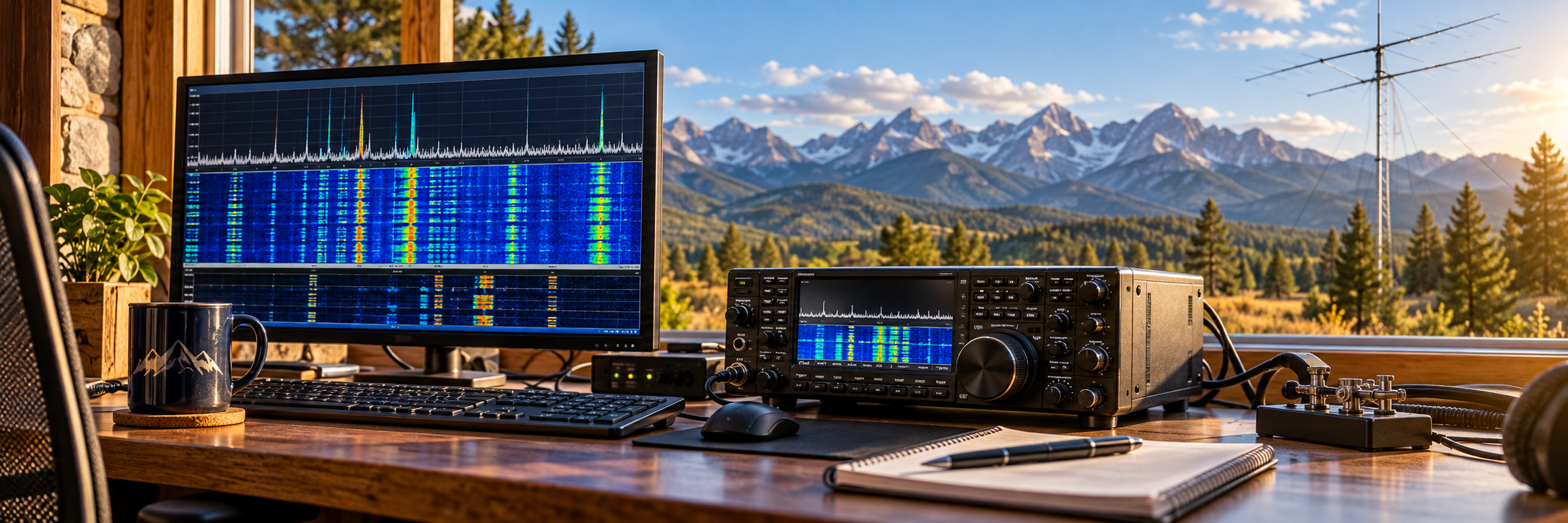
Turn radio signals into contacts, messages, maps and images
Digital radio can look complicated because every activity seems to have its own program. This beginner-friendly guide groups the software by what you want to accomplish, shows how the programs work together and gives you a practical place to begin.
Start here: watch the air without transmitting
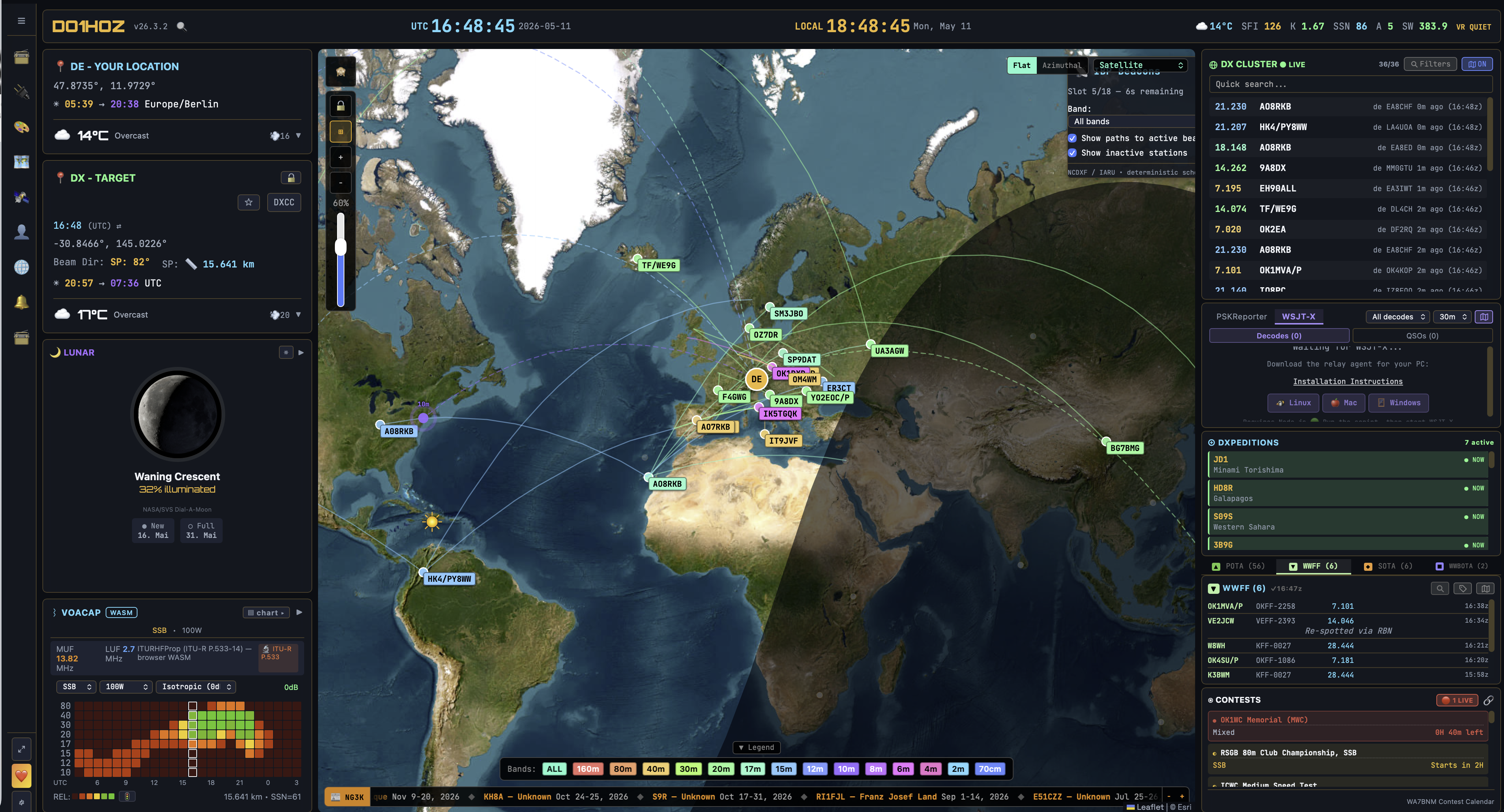
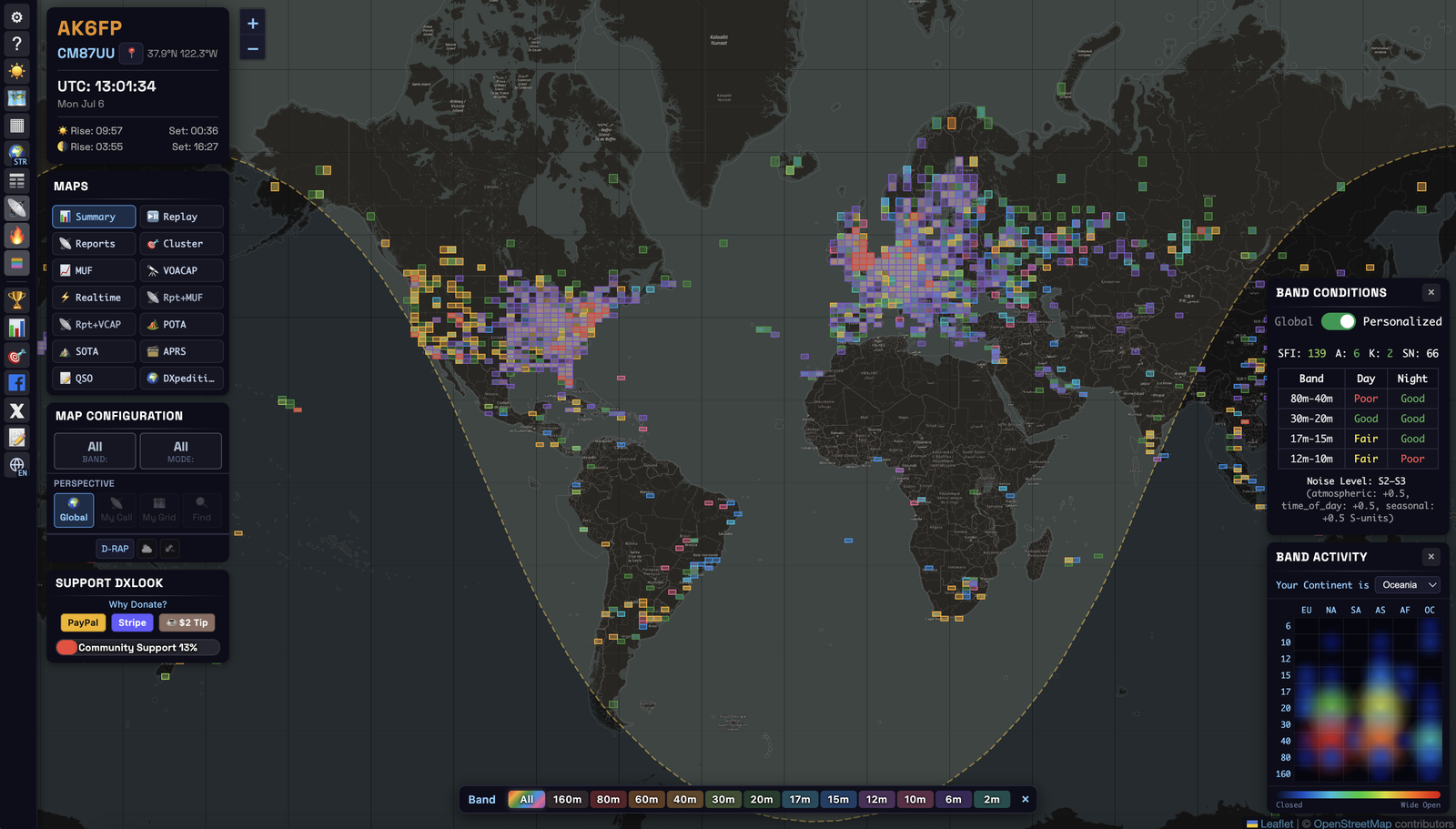
These are the easiest tools on the page for a brand-new operator—or someone who does not have a license yet. Neither requires a radio interface or a connection to station equipment. Open them on an ordinary computer, tablet or display and start exploring live reception reports, propagation, space weather and station activity. An amateur-radio license becomes necessary only when you transmit. Click either screenshot for a large, detailed view.
OpenHamClock FREE • OPEN SOURCEWEB APPWINDOWSmacOSLINUX
OpenHamClock is a web-based shack dashboard that brings a world map, DX-cluster spots, POTA activity, solar and space-weather readings, propagation information and station tools onto one screen. You can run it on a Raspberry Pi, spare computer, tablet or wall display and use it as a constantly updated window into amateur-radio activity—even if you are only listening and learning.
DXLook FREE • NO ACCOUNT REQUIREDWEB APPDESKTOPMOBILE BROWSER
DXLook is an interactive live HF/VHF propagation map. It combines reception reports from PSK Reporter, WSPRnet, the Reverse Beacon Network and DX clusters with band conditions, space weather, VOACAP predictions, POTA, SOTA and APRS views. Visitors can watch paths appear, filter by band or mode and learn what “the band is open” really looks like—without an account, radio or license.
What is a digital mode?
Your radio still sends ordinary radio waves. The difference is that a computer turns text, callsigns, locations, pictures or telemetry into tones, then decodes the tones at the receiving end. Some modes are built for extremely weak signals; others emphasize conversation, email, mapping, images or dependable emergency traffic.
Receives and transmits the signal.
Computer audio carries tones; CAT control selects band and mode.
Software converts signals into useful information.
Maps, logging and spotting add context.
Choose software by what you want to do
Most of the programs on this page are free. A few offer optional paid upgrades, and only a small number require a purchase after a trial. Each entry now carries a cost label so you can tell before downloading.
Receiving and exploring are excellent ways to learn. Several monitoring tools need no radio and no amateur-radio license at all. A license is required before transmitting on amateur frequencies.
The easiest way to understand the program names is to group them by purpose. Each section below stays open so you can browse the programs, explanations and screenshots without extra clicks. Click any screenshot to open a large, detailed view.
Weak-signal contacts: WSJT-X, Decodium, MSHV and GridTracker 2
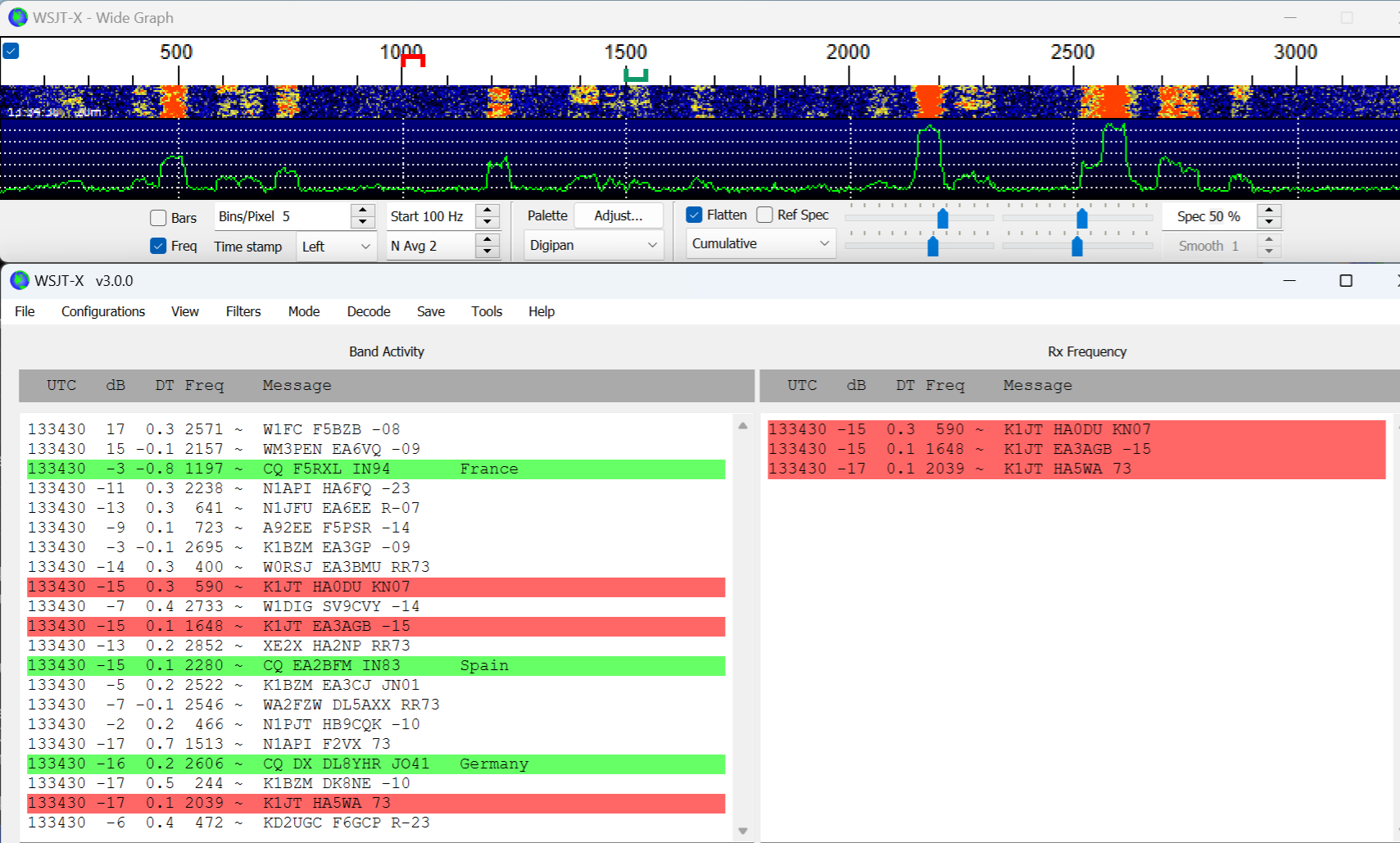
WSJT-X FREE • OPEN SOURCEWINDOWSmacOSLINUX
WSJT-X is the best-known and most widely used starting point for weak-signal digital radio. It handles FT8, FT4, WSPR, Q65, MSK144, FST4/FST4W and other modes, decoding synchronized transmissions in timed periods and guiding the short exchange needed for a valid contact.
Decodium FREE • OPEN SOURCEWINDOWSmacOSLINUXANDROID is a newer weak-signal decoding and operating application aimed at modes such as FT8-family activity. It belongs in the same workflow category as WSJT-X: watching synchronized signals, decoding callsigns and completing structured contacts.
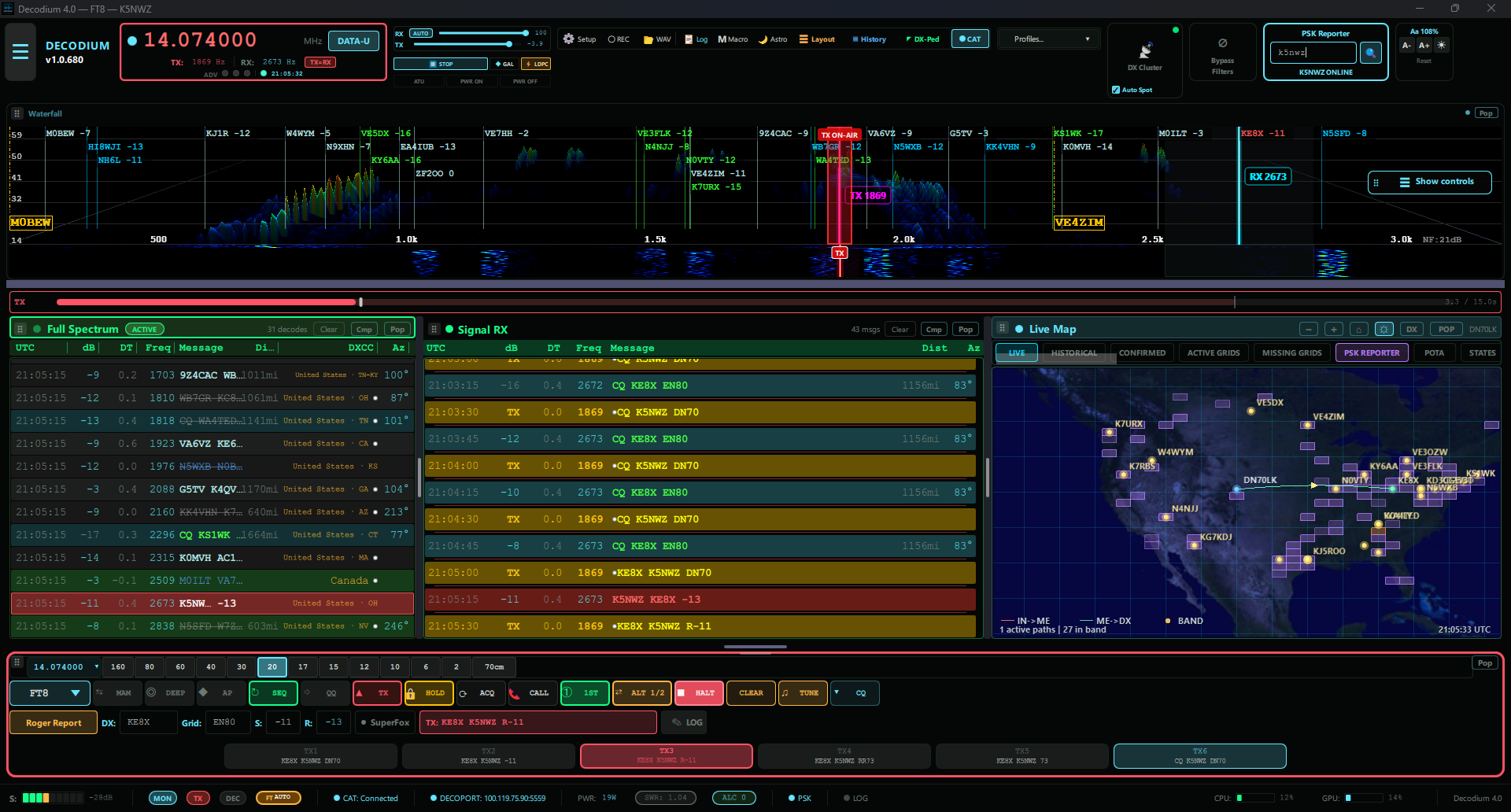
Official Decodium website and downloads ↗
MSHV 64-bit FREE • OPEN SOURCEWINDOWSLINUX is a multi-mode weak-signal program popular for FT8, FT4, MSK144 and other modes. It is especially useful for operators who want one interface covering several terrestrial, meteor-scatter and VHF/UHF weak-signal activities.
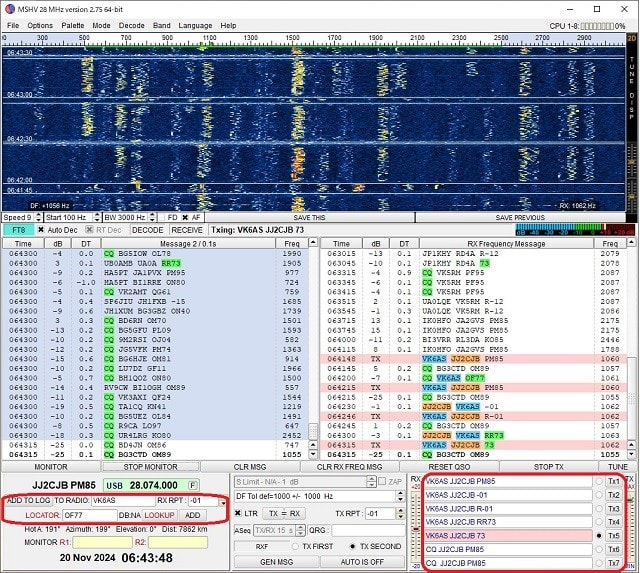
Official MSHV website and downloads ↗
PinPoint APRS FREE • INDIVIDUAL NONCOMMERCIAL USEWINDOWS is a Windows APRS client built around a detailed map, station tracking, messaging and field-ready information. It can connect through APRS-IS or compatible radios and TNCs, cache maps for offline use, and overlay NexRad radar, weather-warning polygons and wildfire data. That makes it useful for everyday APRS exploration as well as ARES exercises and emergency-support planning. A valid amateur-radio license and callsign are required when using it to transmit.
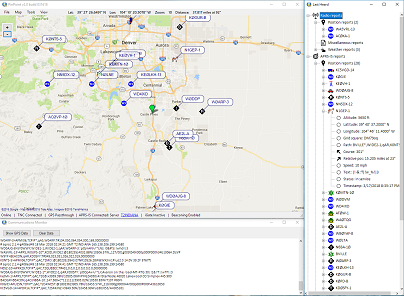
Official PinPoint APRS information and download ↗
GridTracker 2 FREEWINDOWSmacOSLINUX does not replace the decoder. It listens to decode information from WSJT-X or compatible programs and turns it into a live map, award progress, spot information, logbook context, weather and propagation clues.
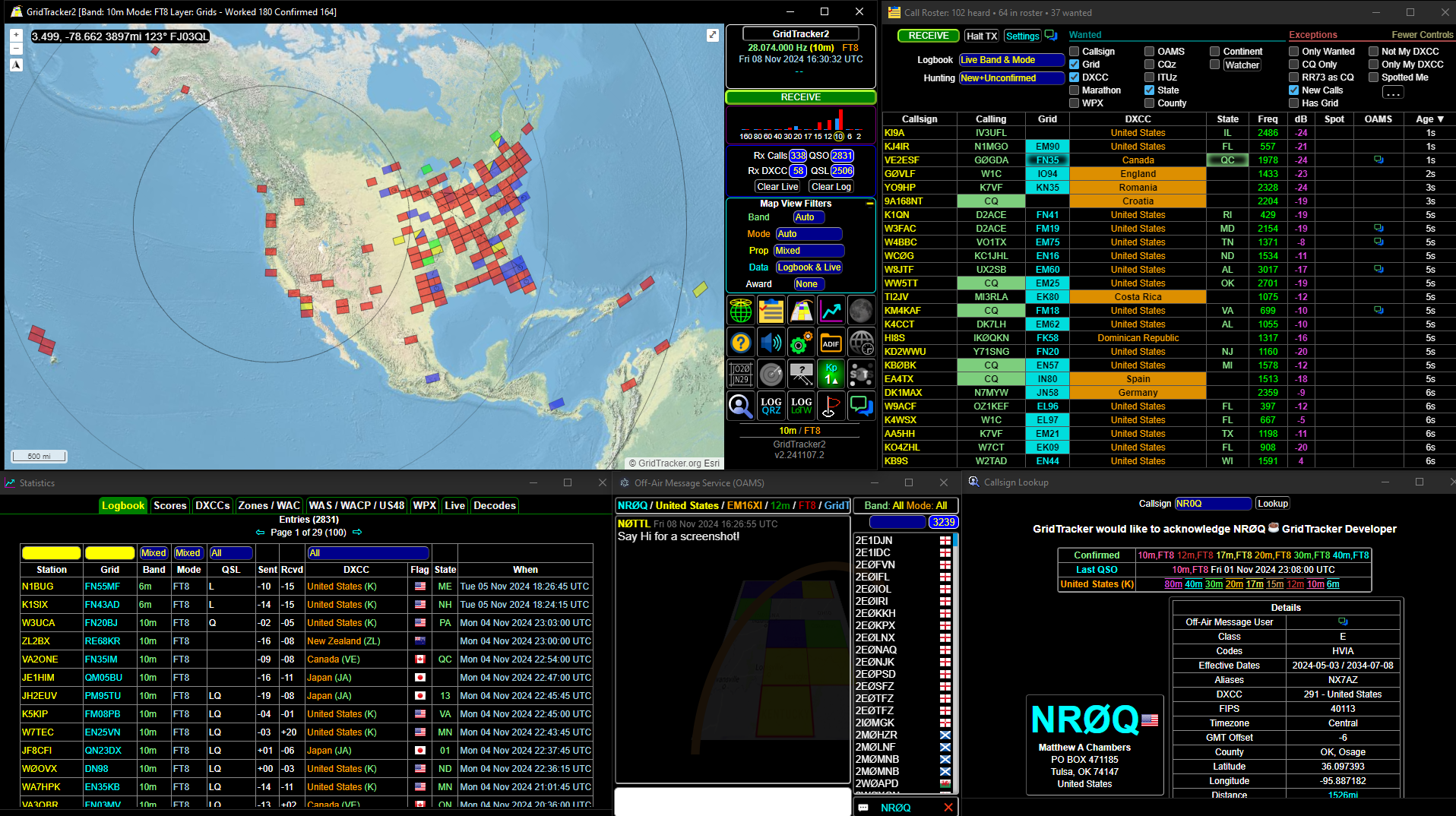
Official GridTracker 2 website and downloads ↗
WSJT-X official site · GridTracker 2 guide · See current reception reports on PSK Reporter
Keyboard conversation: JS8Call, VarAC and Digital Master
JS8Call FREE • OPEN SOURCEWINDOWSmacOSLINUXANDROID PRE-RELEASE uses a weak-signal technique derived from FT8 but changes the goal from a short automated exchange to keyboard messaging. Stations can call one another, relay messages and leave short traffic for later delivery.
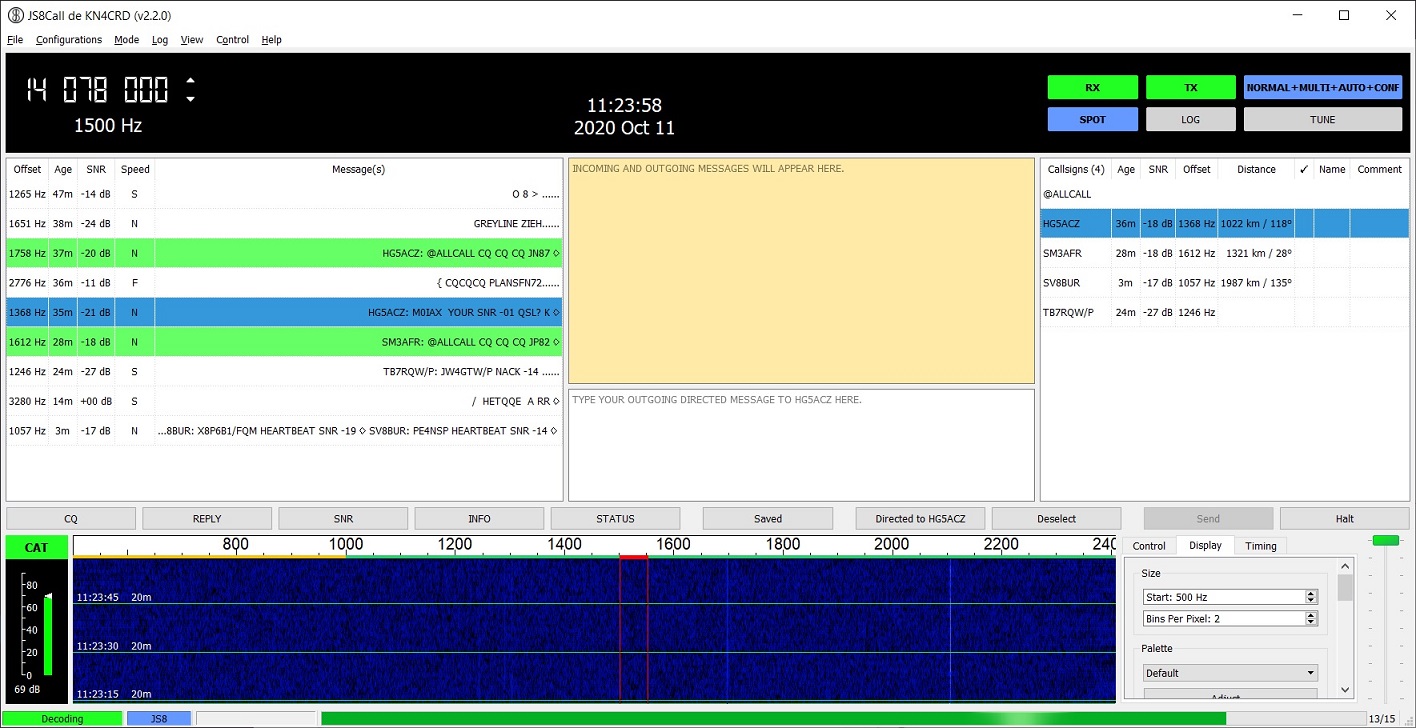
Official JS8Call website and downloads ↗
VarAC FREE APPWINDOWSLINUX VIA WINE—often misread as “VARA AC”—is a modern keyboard-to-keyboard chat and emergency-communications application that uses a VARA modem. It supports directed calls, beacons, files and more conversational operation than FT8.
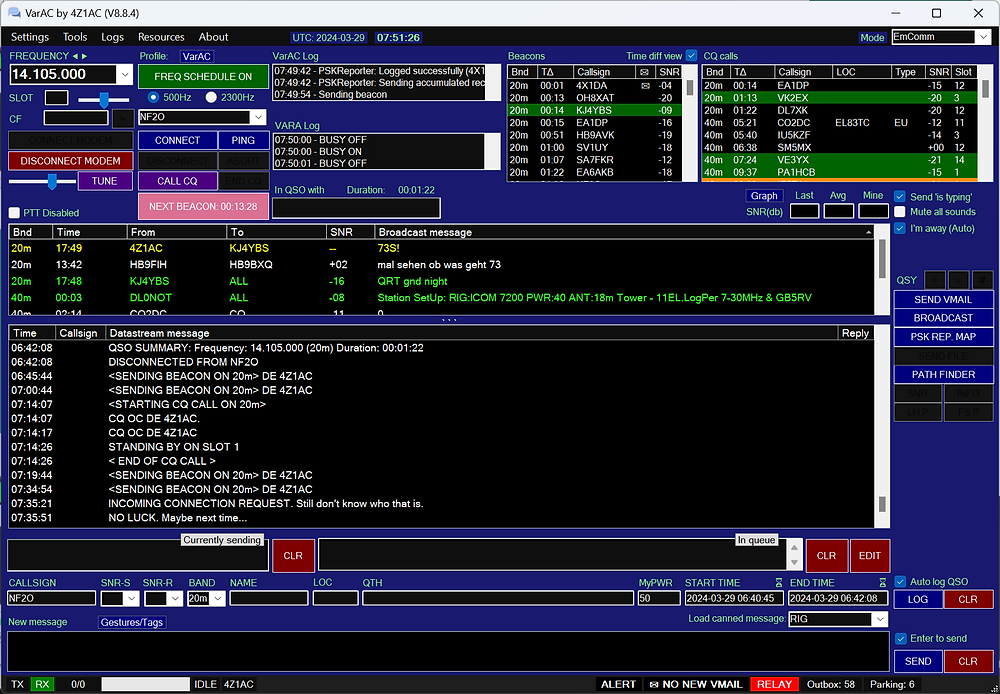
Official VarAC website and downloads ↗
Digital Master 780 (DM780) PAID • 30-DAY TRIALWINDOWS, part of Ham Radio Deluxe, provides a broad multi-mode operating screen for modes such as PSK, RTTY and other keyboard-oriented signals, with logging and radio control close at hand.
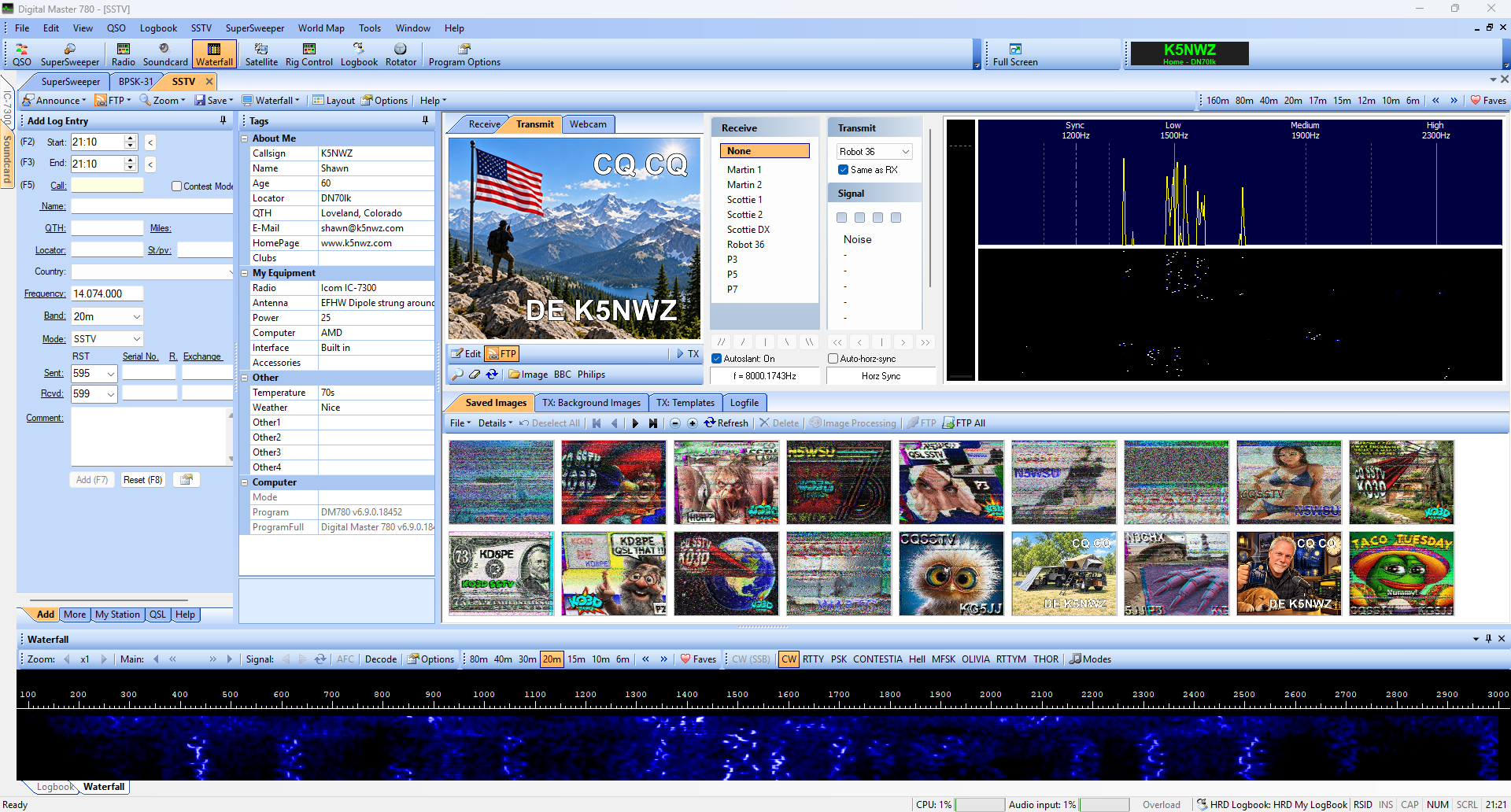
Official DM-780 information and trial ↗ • Watch SSTV signals on the K5NWZ SDR ↗
Radio email and fast data: Winlink Express and VARA FM
Winlink Express FREE • OPTIONAL SUPPORT KEYWINDOWS is the Windows client many amateurs use for radio email. Depending on your equipment and gateway, it can work through HF, VHF/UHF packet, VARA or an internet connection. It is widely used for emergency and field communications because messages can move when normal local infrastructure is limited.
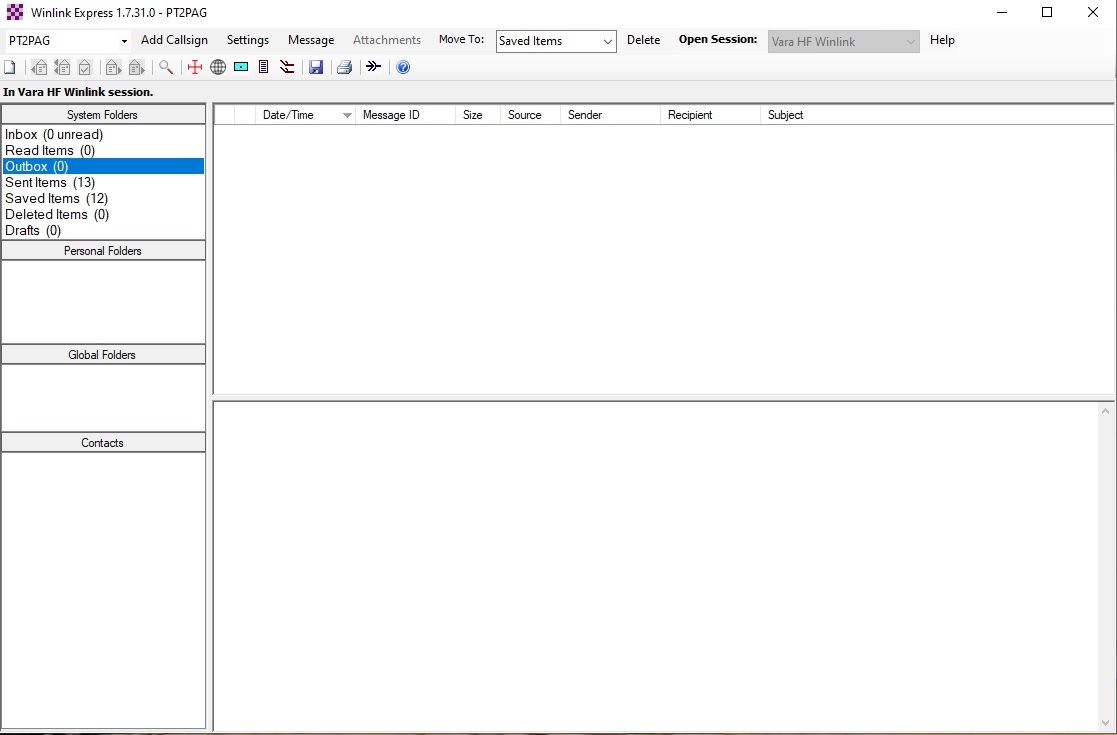
Official Winlink Express information and download ↗
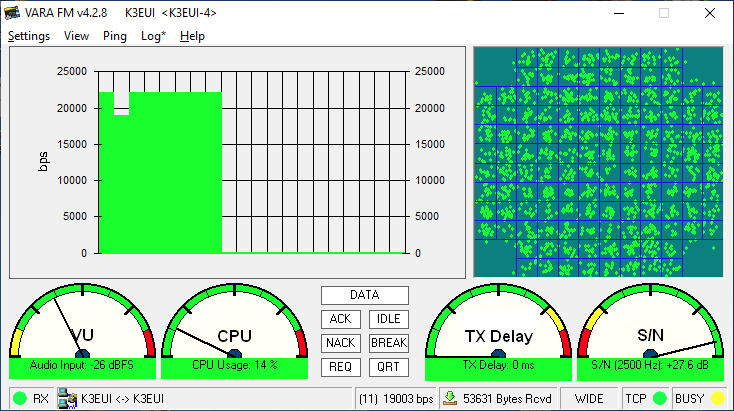
VARA FM FREE BASIC • PAID FULL SPEEDWINDOWS is a software modem for higher-speed data over VHF and UHF FM radios. Applications such as Winlink use it as the engine that converts data into radio audio and back again. VARA FM is the modem; Winlink Express is the application the operator sees.
Maps and station activity: APRS PropView, PinPoint APRS and GridTracker 2
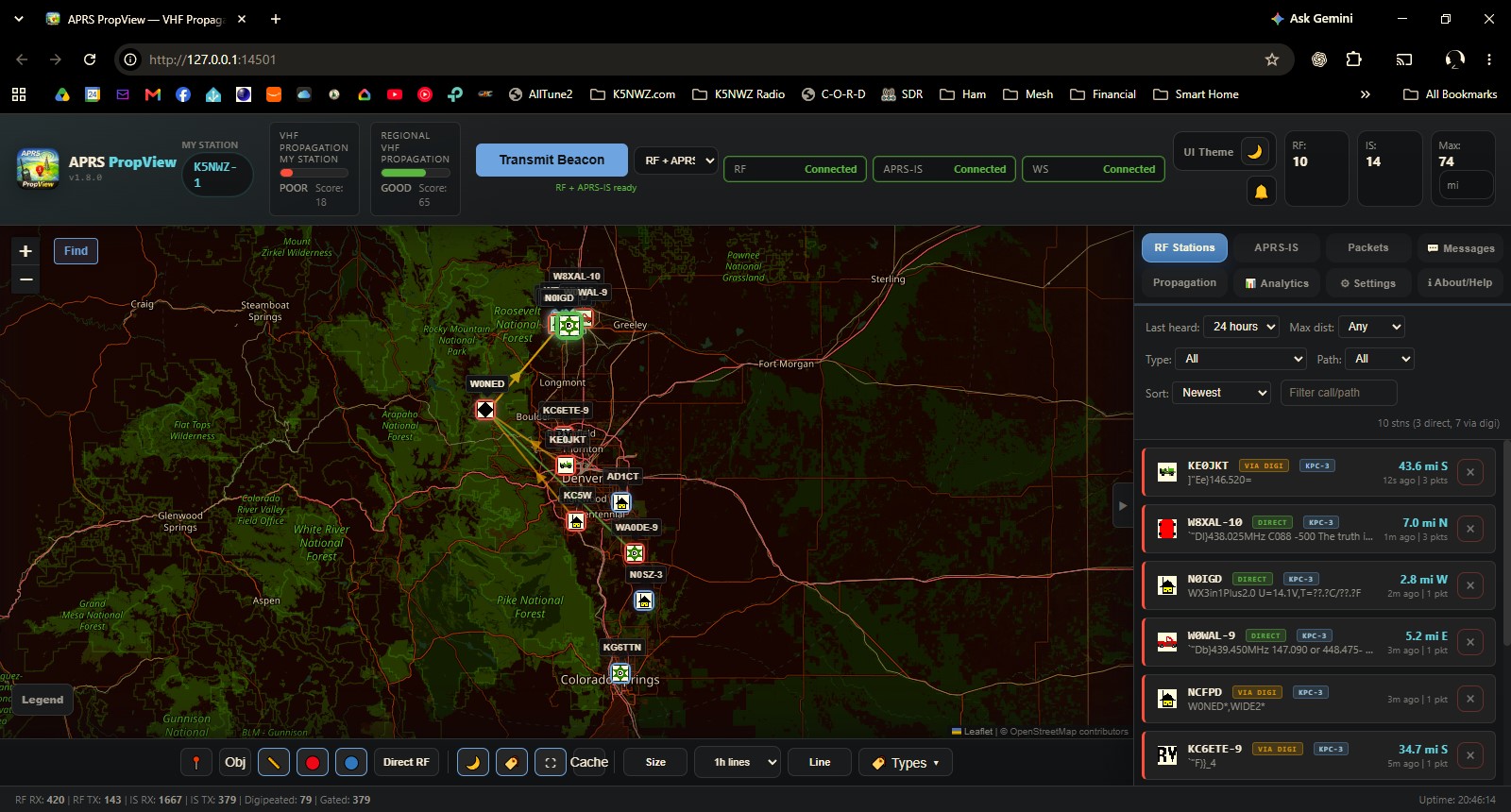
APRS PropView FREE • OPEN SOURCEWINDOWSmacOSLINUXWEB UI organizes APRS station and path information into a visual view of position reports, movement and radio reach. It helps turn short APRS packets into a map that a newcomer can explore.
Official APRS PropView project and releases ↗
GridTracker 2 FREE does something similar for weak-signal activity: it adds maps, grids, worked-status and contextual information to FT8/FT4 decodes.
Parks and radio control: POTA Cat
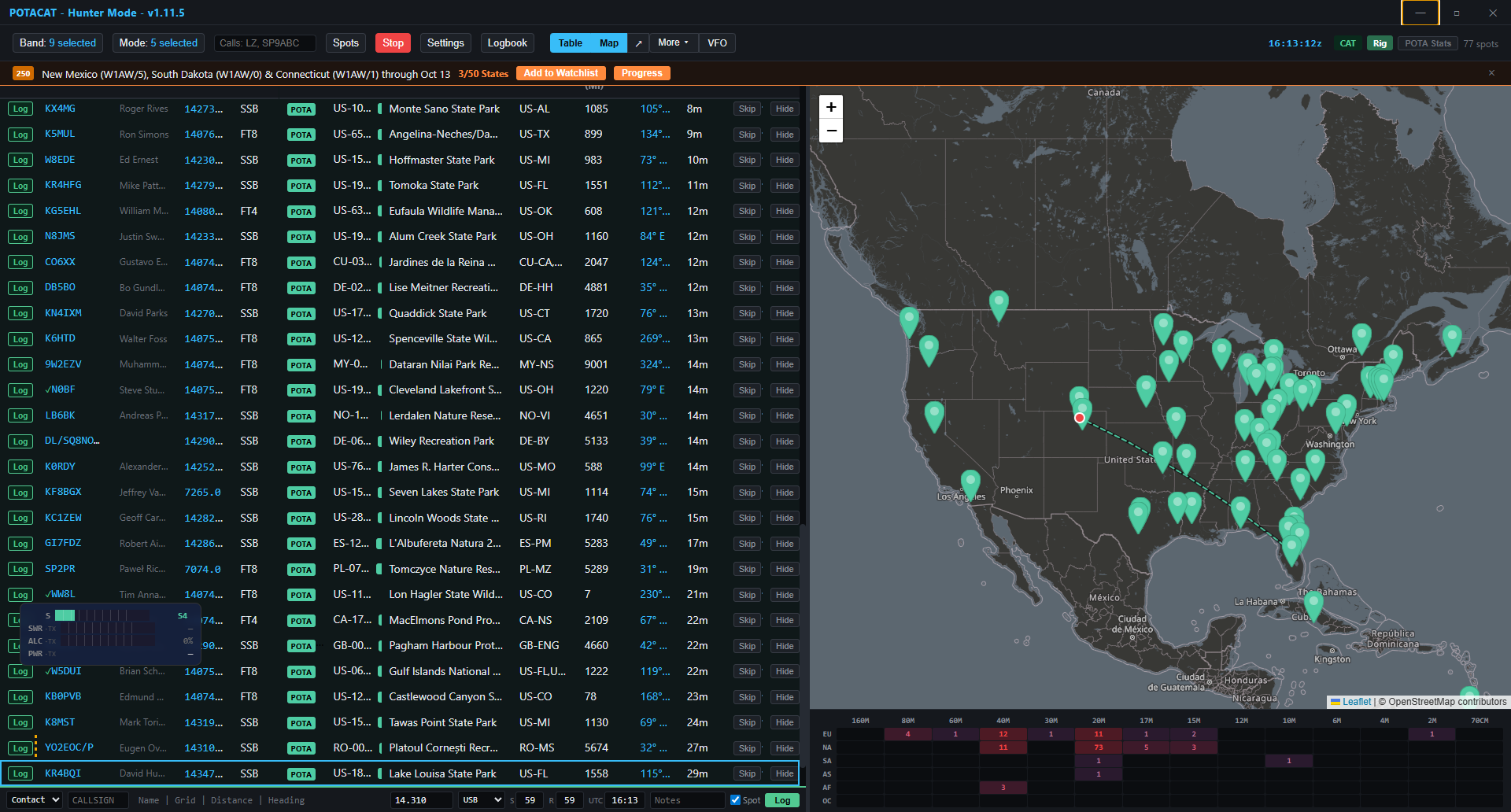
POTA Cat FREE • OPEN SOURCEWINDOWSmacOSLINUXiOS COMPANIONANDROID COMPANION is aimed at Parks on the Air operating. It brings activation information, radio CAT control and operating aids into a field-friendly workflow. The value is not a new over-the-air mode; it is reducing the number of windows and repeated settings needed during an activation.
Official POTA Cat website and downloads ↗
Morse code and linked voice: CW Skimmer and EchoLink
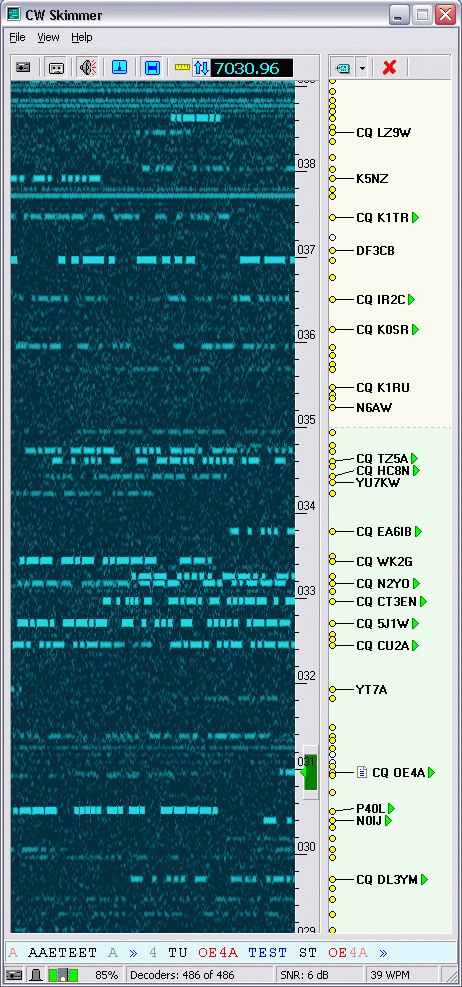
CW Skimmer PAID • TRIAL AVAILABLEWINDOWS visually monitors a slice of spectrum and decodes multiple Morse-code signals at once. It is useful for learning what activity is present, locating callsigns and understanding how many signals can occupy a narrow CW band segment.
Official CW Skimmer website and trial ↗
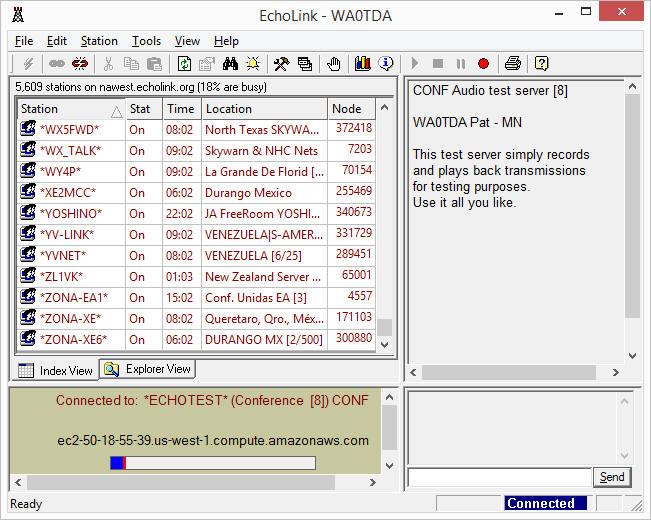
EchoLink FREE • LICENSE VALIDATION REQUIREDWINDOWSWEB APPiOSANDROID connects amateur-radio stations and repeaters through the internet. It carries voice rather than a keyboard digital mode, but it belongs in the modern digital-radio toolbox because it links radios, repeaters, computers and phones into one worldwide system.
Pictures over radio: EasyPal and SSTV
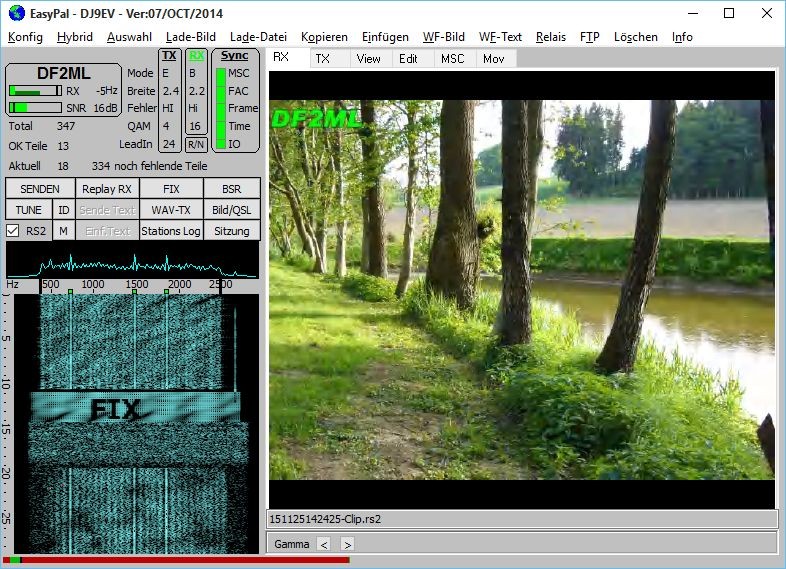
EasyPal FREEWINDOWS sends digital images using DRM-style techniques. Unlike traditional analog slow-scan television, a successfully decoded EasyPal picture can arrive with clean digital detail; a weak or incomplete transmission may fail in blocks rather than merely becoming snowy.
EasyPal legacy project information ↗
For traditional picture modes, visit the K5NWZ Slow Scan TV guide, which also connects visitors to the live SDR workflow.
Your first FT8 contact
FT8 timing is strict. Keep the computer clock accurate before troubleshooting anything else.
Select FT8 in WSJT-X and use its band menu so the radio lands on the established activity frequency.
You want a healthy receive level without clipping. On transmit, avoid driving the radio into ALC compression.
Watch several cycles. Confirm callsigns appear and learn the rhythm before enabling transmit.
What the common controls mean
| Control | Plain-English meaning |
|---|---|
| Monitor | Start decoding received audio. |
| Enable Tx | Allow the program to transmit at the next appropriate time slot. |
| Rx / Tx frequency | The audio position inside the displayed passband—not a completely different radio band. |
| Signal report | How far the decoded signal sits above or below the noise level, expressed in dB. |
Listen and watch on the K5NWZ SDR
Keep this guide open in one window and the receiver in another. A waterfall makes bandwidth, timing and signal strength much easier to understand. The public receiver is listen-only: visitors cannot key the transmitter or change station equipment.
Live resources
- PSK Reporter — see where digital signals are being received.
- WSPRnet — explore propagation reports from low-power WSPR stations.
- Parks on the Air — view current activations and spots.
- K5NWZ Logbooks — see station contacts and activity.
Beginner checklist
- Use your callsign and grid square exactly as issued or calculated.
- Confirm the correct sound-card input and output before changing radio settings.
- Keep the computer clock synchronized for timed weak-signal modes.
- Start with low transmit power and clean audio. More drive is not automatically better.
- Know your license privileges and the band plan before transmitting.
- Decode and observe first. The waterfall and message window will teach you the operating rhythm.
Software note: Programs evolve. Always download radio software from its official project site and review the current documentation before connecting it to a transmitter.