Explore resilient off-grid messaging with MeshCore and Meshtastic
MeshCore and Meshtastic use small LoRa radios to pass messages across a shared community network. This newcomer-friendly guide shows how the systems work, what the signals look like and how to get involved in Northern Colorado.
K5NWZ OFF-GRID FIELD TEST
Help test an independent tracking mesh
Beyond the mainstream community mesh, K5NWZ is testing a separate Meshtastic network for overlanders, hikers and explorers. The nodes relay frequent GPS position reports to one another, plot participating assets on a map and preserve breadcrumb trails—all without requiring cellular service, Starlink or the Internet.
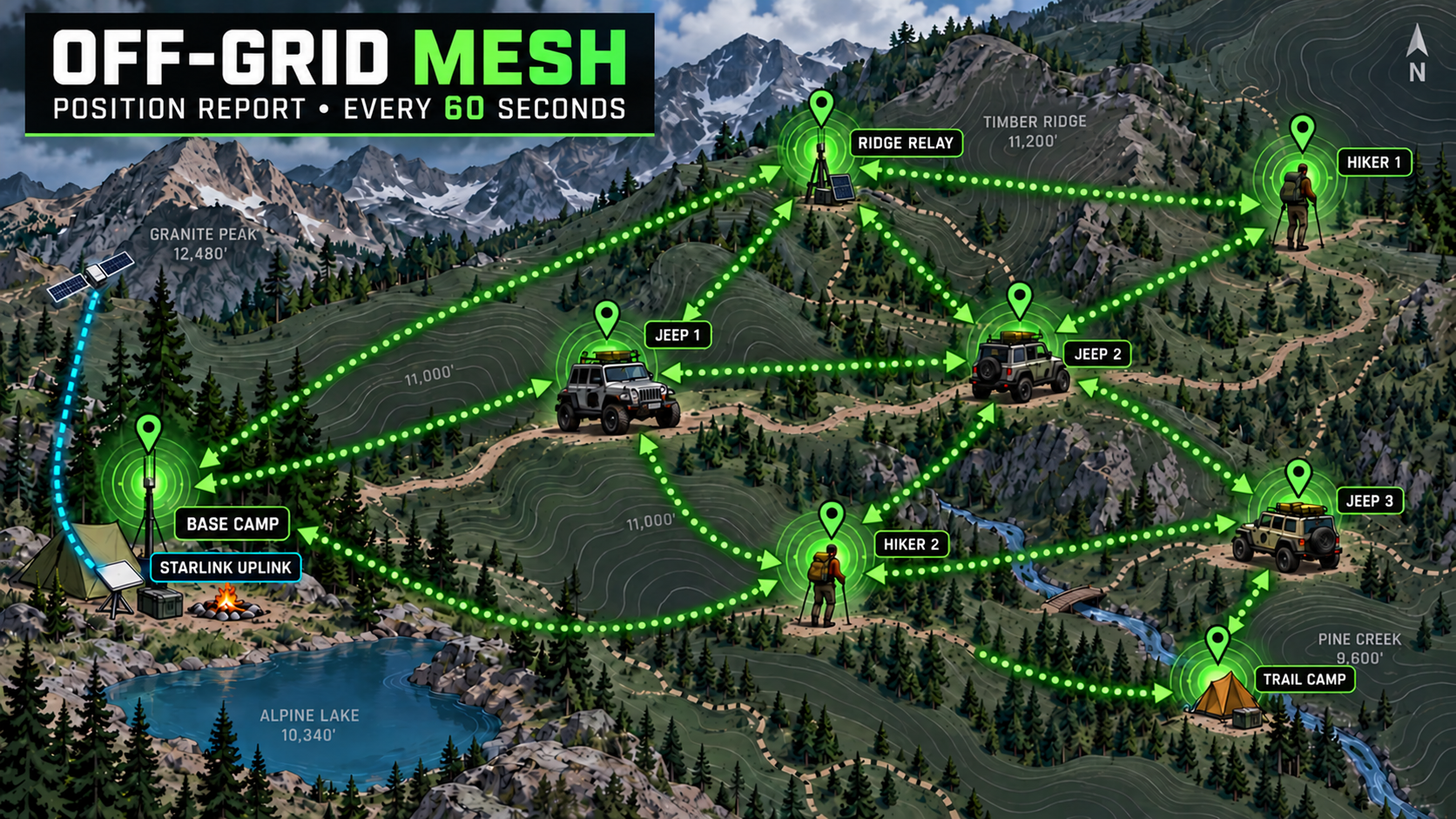
Have an extra Meshtastic node sitting around? If you do not mind letting it run on the test settings, it can help us measure range, relaying, location accuracy and field reliability. Mobile nodes are especially valuable—trackers, vehicle-mounted radios and portable nodes give us routes and changing signal data from many locations. To participate in position tracking, the node must include its own GPS receiver or receive position data from a paired cell phone. Stationary spare nodes can also strengthen the test when their location is known. The Remote Ops page shows the live-test interface, node status, map tracking and full explanation of how the project works.
This is a part-time passion project. It is one of my highest-priority personal projects, but I also have a full-time job and several other interests. Testing will happen in focused sessions and phases rather than continuously. I will announce and coordinate active test windows with participants, and patience between those periods will be appreciated.
Get on the Colorado mesh
New to mesh radio? Start here. You do not need a rooftop installation to take your first steps—start with a supported radio, the matching app, and a little help from the local community.
See the mesh on the air
Hear and watch Meshtastic and MeshCore traffic
The K5NWZ Software Defined Radio has a real LoRa 915 MHz ISM receiver profile plus built-in Meshtastic and Meshcore decoders. The guided SDR page shows the actual K5NWZ receiver interface and exactly which controls to select. Verified signal-focused waterfall captures and off-air Meshtastic and MeshCore audio will be added after they are captured at K5NWZ with the matching receiver settings.
OPEN THE MESH SDR GUIDE →Watch for Real Mesh Traffic on the Waterfall
LoRa packets are brief, wide chirped bursts rather than continuous voice signals. Their exact appearance changes with frequency, bandwidth, spreading factor and modem preset, so the earlier drawings have been removed instead of presenting them as accurate signals.
Choose the matching K5NWZ OpenWebRX profile
Open the live receiver, click Receiver, and select the profile for the network you want to observe. These are real screenshots from the K5NWZ receiver, so the frequency, profile name and decoder shown below match what visitors will see.
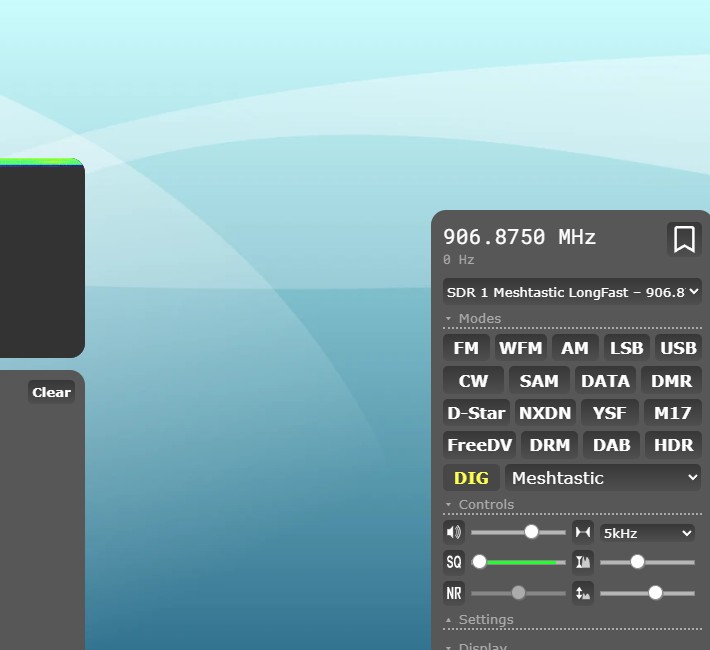
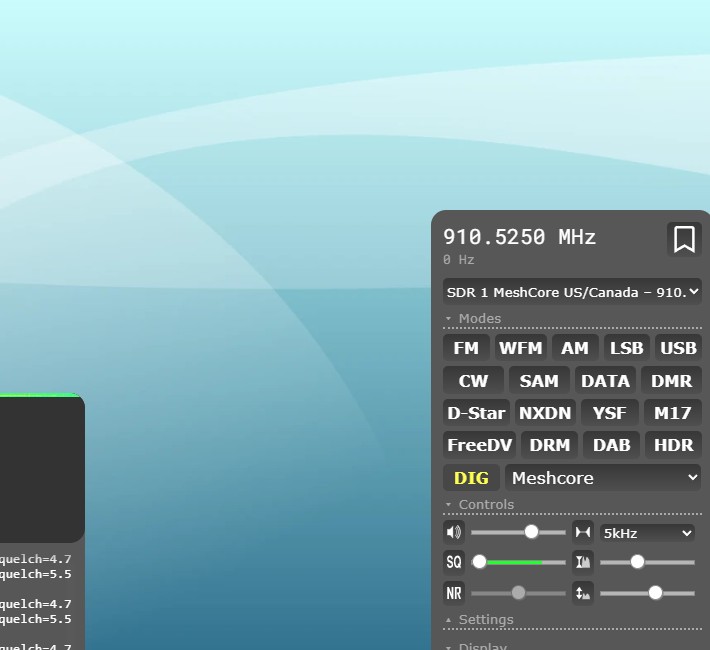
Once the selected profile is tuned and decoding, look across the main OpenWebRX toolbar near the top of the receiver. Click Map, located between Receiver and Files.
This opens a separate map page and begins plotting decoded nodes that transmit valid location reports. Nodes without location data will not appear.
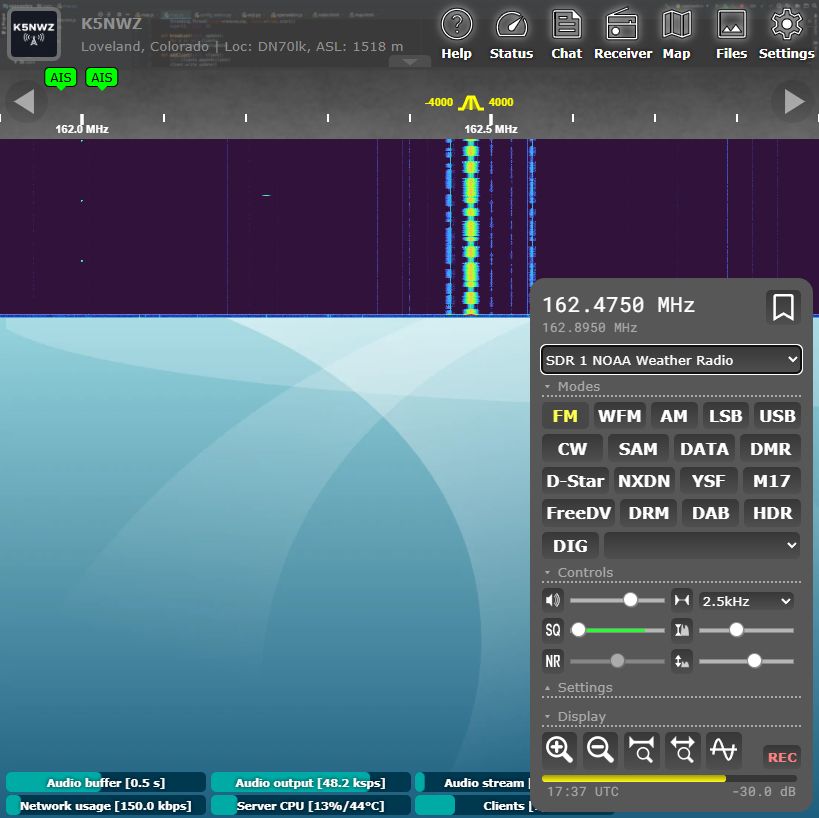 CLICK “MAP” →
Watch each profile for several minutes. Bright LoRa bursts show real RF energy reaching the K5NWZ antenna. A quiet screen only means no packets were received during that observation.
1. Meet the local crew
Join the K5NWZ Discord and tell us your general area and what you want to try. Ask which network and radio settings people nearby are using before buying or configuring a device. The map above is a useful starting point; the best next step is a conversation.
2. Choose your starting point
MeshCore: For a phone-connected setup, look for a supported companion node. The official MeshCore getting-started resources include hardware, apps, and firmware tools.
Meshtastic: Follow the official Meshtastic starter guide to identify supported hardware and work through installation and setup. Choose the system your intended contacts use, and check support for the exact device before ordering.
3. Set up and make a first contact
Use your chosen project’s instructions to install the matching firmware and app, connect your radio, and configure it for your region. Confirm the local settings with the community, then arrange a first message test with another operator. Bring your questions—and share what worked!
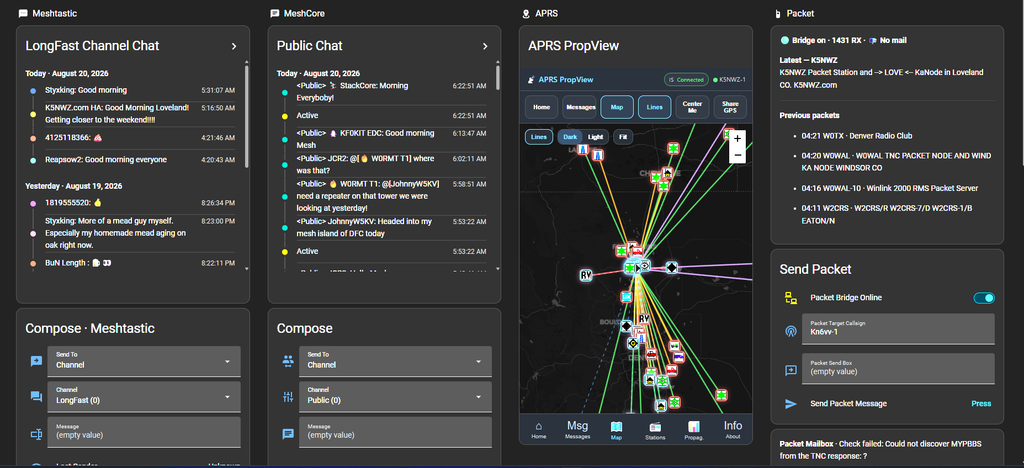
New Home Assistant Integration I’m working on. One dashboard has Meshtastic, MeshCore, APRS and Packet all in one. I can run all of this from my phone anywhere on the planet. This screenshot is most likely outdated as I tinker with is daily
Building a Community Powered, Off Grid Digital Network
Welcome to the Mesh.
Meshtastic and MeshCore are part of a growing movement to create resilient, decentralized, long range digital communication networks using low power LoRa radios. No cell towers. No internet required. Just independent nodes passing messages across a self healing mesh.
What began as experimentation here in Northern Colorado has grown into a fast expanding community network. By bringing people together, deploying rooftop nodes, mobile nodes, hilltop repeaters, and backbone links, we are building real world infrastructure that continues to improve with every new station added.
What Is Meshtastic
Meshtastic is an open source project that allows small, affordable LoRa devices to send text messages, GPS location data, and telemetry over impressive distances. Each node acts as both a user device and a router. The more nodes that join, the stronger and more capable the network becomes.
It is simple to get started, inexpensive to deploy, and incredibly powerful when the community works together.
What Is MeshCore
MeshCore focuses on strengthening the backbone of the network. It supports more infrastructure style deployments, higher performance routing, and long range links between strategic sites. Think of it as reinforcing the spine of the mesh so everyday nodes benefit from better reach, reliability, and redundancy. If you are in the northern Colorado area, join us on the official MeshCore BBS server. NO PASSWORD required. Leave it blank
Join the Community
The heart of this project is the community behind it.
If you are new, curious, or ready to deploy your first node, visit the K5NWZ Discord. That is where we share resources, hardware recommendations, deployment strategies, coverage planning, troubleshooting help, and the latest developments as the mesh continues to evolve. It is also where new operators receive hands on assistance and connect with others who are actively building and improving the network.
A special thank you goes out to the individuals who are playing a significant role in building out the MeshCore mesh here in Northern Colorado. Tracy KC0WKA, Zeva, Lee K0LEE, Steve W0YNC and so many other others have each contributed time, equipment, ideas, site deployments, and steady encouragement that have helped move this network from concept to reality. Their energy and willingness to experiment, climb roofs, test links, write code and push coverage farther have made a measurable difference.
This mesh is not one person’s project. It is a shared effort.
Whether you are a ham radio operator, off roader, prepper, or simply curious about resilient communications, you are welcome here.
Let’s keep building.
Real-Time Mesh Coverage Mapping with MeshMapper
To help you visualize and understand the reach of our MeshCore network, check out MeshMapper — an interactive, community-driven map that shows real-world MeshCore coverage based on data collected from actual radios.
MeshMapper aggregates “wardriving” data from local mesh users and plots it on a live map so you can:
• See where repeaters and nodes are located
• Understand coverage quality and signal paths
• Identify gaps and plan strategic deployments
• Compare repeater performance and reach
This tool is especially helpful when planning node placement or exploring how the mesh grows over time. You can explore the Denver regional map and other regions here:
🔗 MeshMapper Denver Map: MeshMapper — A live, interactive map visualizing current MeshCore network coverage for the Denver region.
Visit the regional map and drill down into the details, or use this as inspiration to get out wardriving and contribute your own coverage data!
Northern Colorado Mesh (map.nocomesh.org)
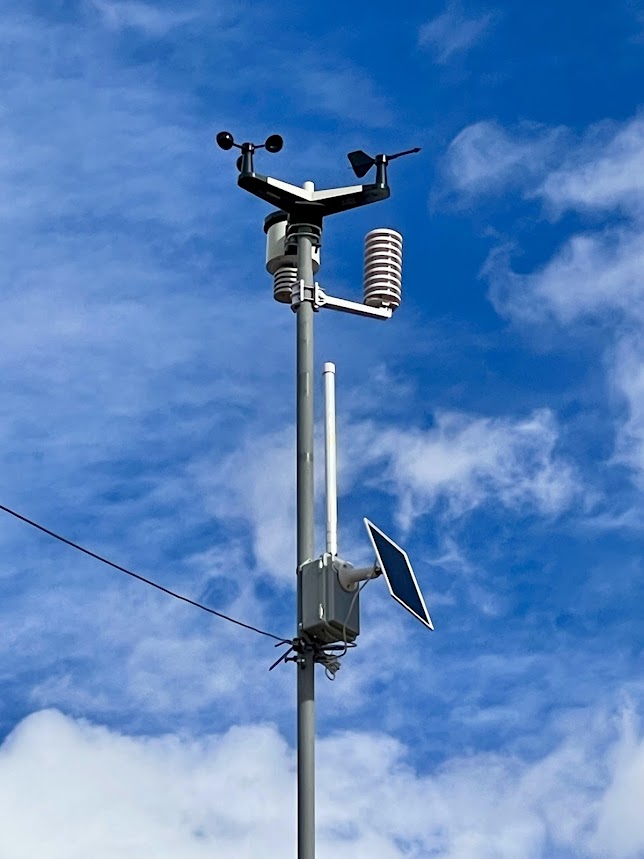
Enjoy the mesh? There is more to explore.
The curiosity that gets you building a node can take you into the shack, onto a mountain road, or into the air. Here are three other corners of my world.