K5NWZ • Live Software Defined Radio
Listen live with our online SDR
Tune the receiver, watch the waterfall, and hear real signals—no radio or license needed.
Turn your browser into a window on the radio spectrum. This free online software-defined radio (SDR) receives real signals in Loveland, Colorado: weather broadcasts, amateur-radio conversations, and bursts of digital data. No radio equipment or amateur-radio license is needed to try it.
I’m upgrading the antennas behind this receiver to improve reception on both the low (HF) and high (VHF/UHF) frequencies.
- HF is back on a temporary wire antenna: shortwave, AM broadcast, WWV, FT8 and SSTV are working while a new receive antenna is installed this week.
- VHF/UHF is up: NOAA weather, airband, APRS, 2 m and mesh. Aircraft is live around the clock: whenever no one is listening, this receiver watches 1090 MHz, so planes are usually already on the map. You may notice short interruptions while I fine-tune things.
Everything should be back to 100% this weekend. Thanks for your patience, and check back soon!
Listen to the live receiver
Pick something to try and the receiver opens already tuned. Click inside the receiver once to turn on the sound.
Hear your first signal in three steps
- Open NOAA Weather. The button below loads the receiver right here on this page with the weather preset selected.
- Listen. If the browser asks you to start audio, click its audio control and adjust the volume. Weather radio is a good first voice signal to try.
- Watch the colors. The moving display is called a waterfall: bright marks show radio energy, and the history scrolls downward.
You are only receiving—not transmitting. This receiver is shared: if another visitor changes the band, reopen your chosen preset. Give it time to settle between changes.
Choose Something to Hear
New to radio? Start with a familiar voice signal, then try the digital examples. Each choice opens the live receiver already tuned to the right frequency and mode.
NOAA Weather
2-Meter Simplex
APRS
Packet Radio
FT8 on 20 Meters
SSTV on 20 Meters
Meshtastic
MeshCore
WWV Time Station
For Meshtastic and MeshCore Visitors
Two networks, two dedicated profiles
The profile handles the tuning and decoder
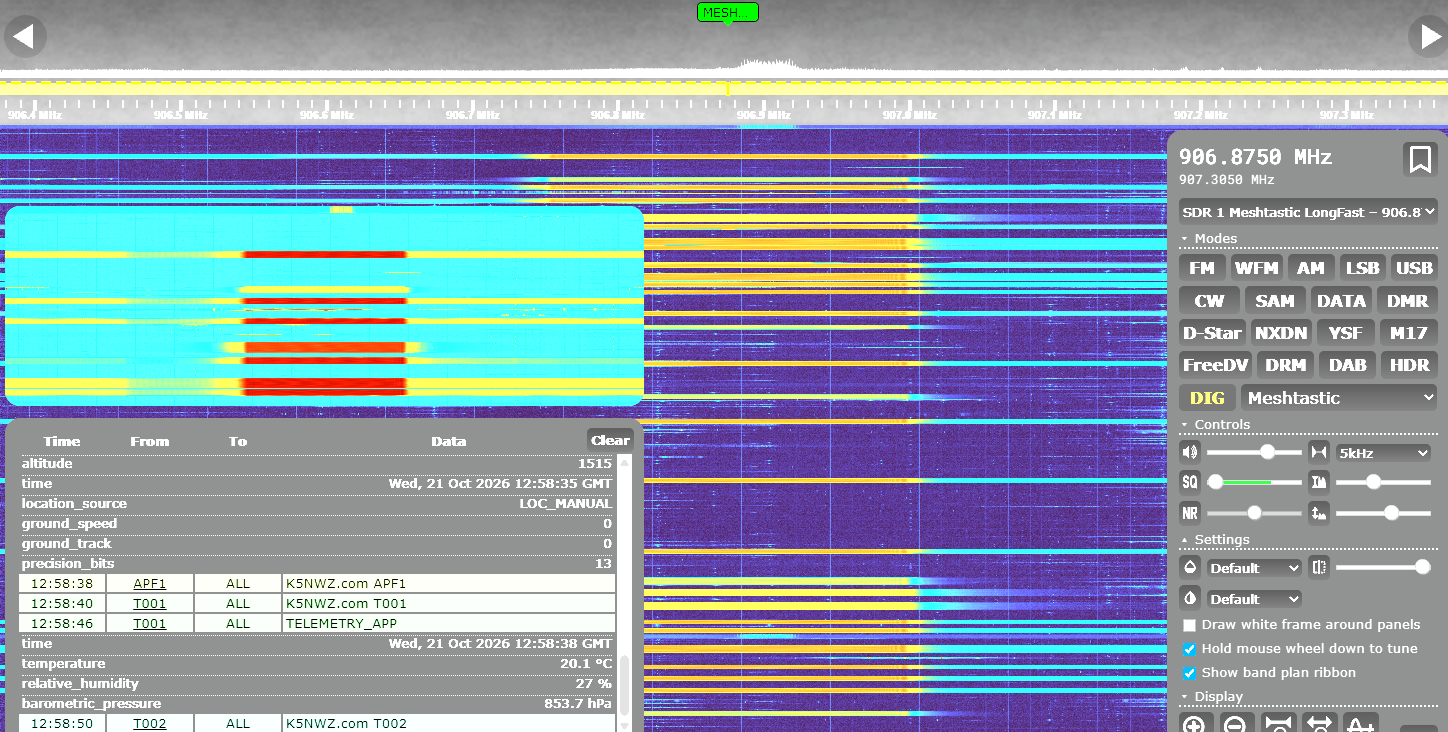
These real K5NWZ waterfall captures show Meshtastic with more visible traffic and MeshCore during a quieter interval. Activity changes over time. Use the matching link below to open the live receiver already tuned to that network’s profile and decoder.
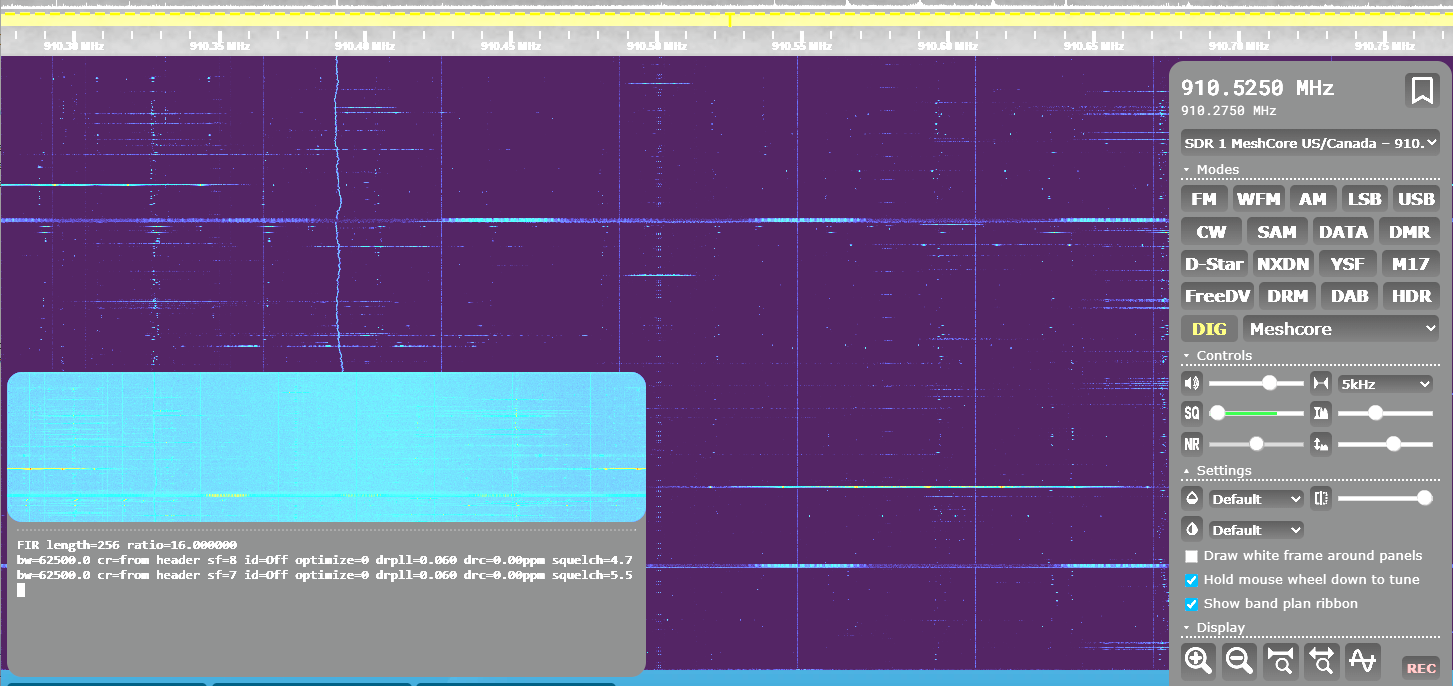
Once the Meshtastic or MeshCore profile is tuned and decoding, press 🗺 Show map in the live receiver box at the top of this page, or use the button below. The map opens right here on this page and plots nodes that broadcast a location as packets arrive. Nodes without location data will not appear.
Shared receiver: another visitor can change the active profile. If the display moves, select your profile again. A future dedicated LoRa receiver would allow continuous mesh monitoring without competing with visitors using other radio bands.
Learn to Read the Waterfall
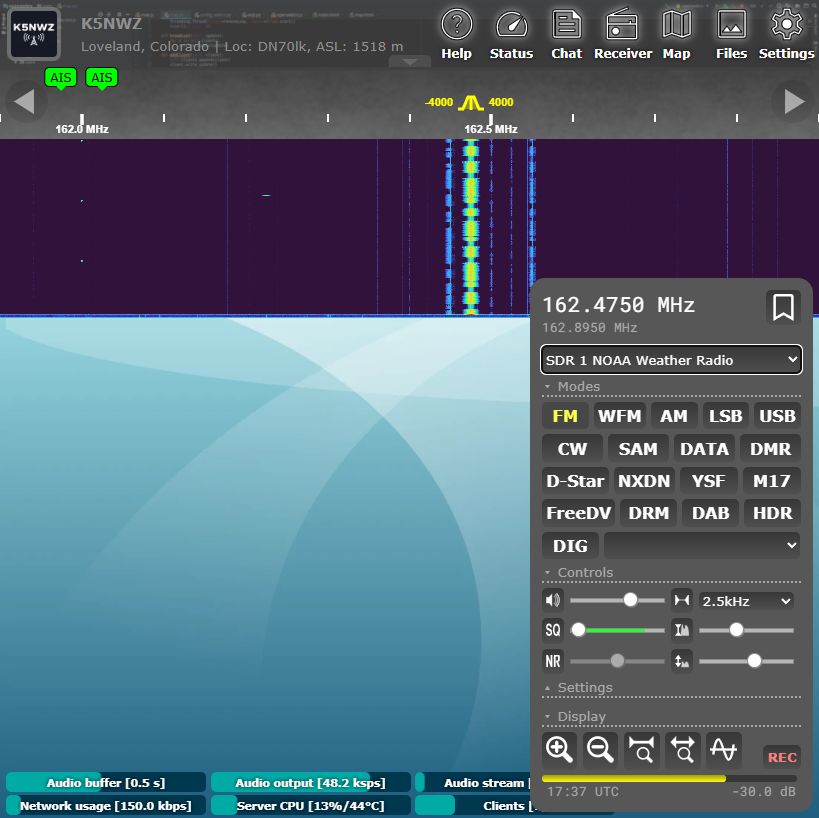
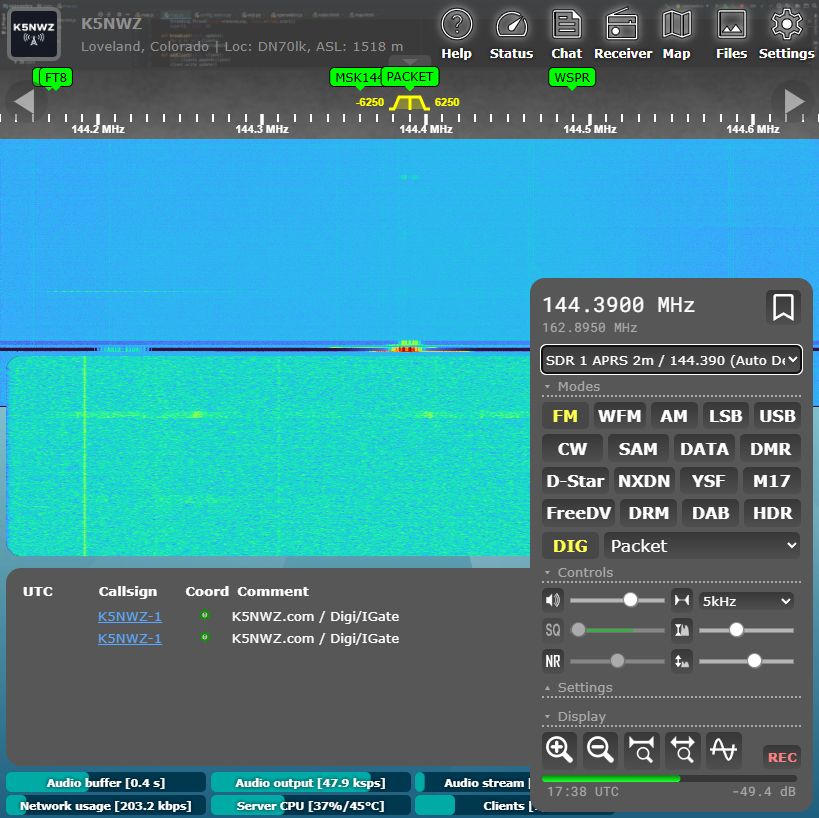
The waterfall is a moving picture of radio energy. Frequency runs left to right, and new activity appears at the top and moves downward over time. The examples below were captured live from the K5NWZ receiver after the waterfalls had time to fill. NOAA weather radio provides a steady voice signal; APRS adds short packet bursts and a populated decoder list.
 1234
 123
Ask the SDR Guide
Choose a common question or type a short question. This on-page helper answers the practical beginner questions without changing the live receiver.
Band Explorer
HF: signals from far beyond Northern Colorado
Try 20 meters for FT8, SSTV, and amateur voice. HF changes dramatically with sunlight and the ionosphere.
Hear the Difference
These browser-generated examples are labeled by confidence. FM uses an actual spoken reference with receiver-style filtering. APRS and Packet Radio use 1200-baud Bell 202 AFSK. RTTY and FT8 are protocol-based synthesized references using published tone timing—not off-air recordings. Receiver noise is filtered hiss. DMR, Meshtastic and MeshCore audio has been removed until verified off-air recordings can be captured from the K5NWZ SDR.
Choose an example. Keep your volume moderate.
Coming next: verified off-air DMR and LoRa recordings paired with the exact receiver settings and matching waterfall captures.
Continue Exploring K5NWZ Digital Radio
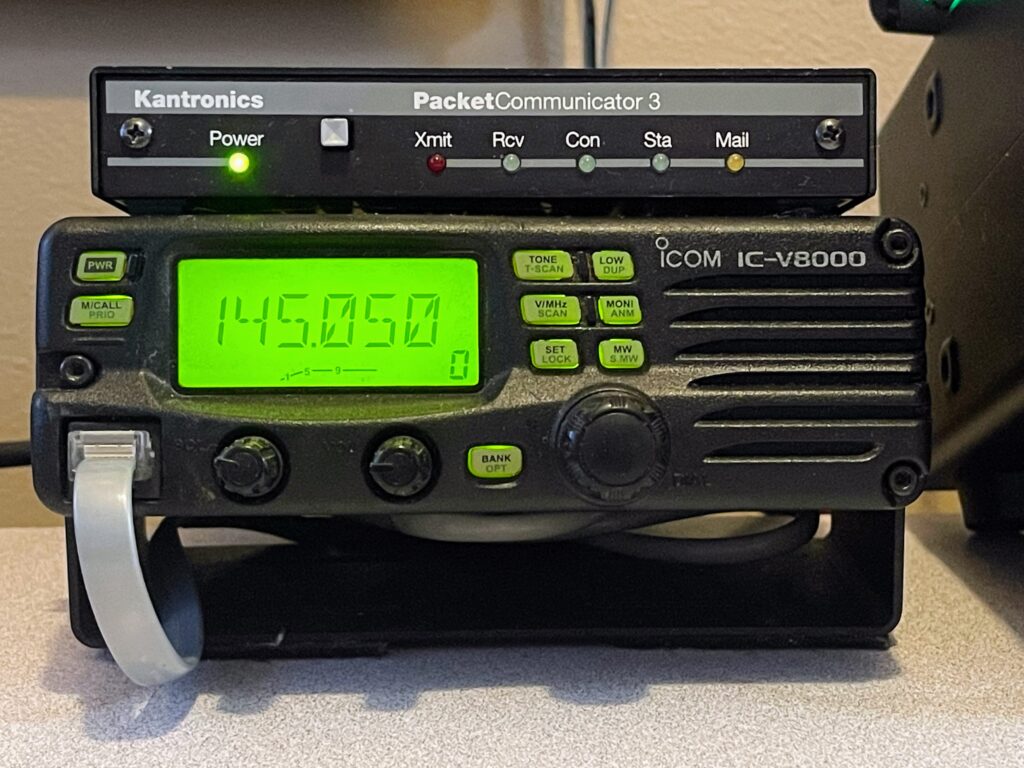 Packet RadioLearn how AX.25 messaging, TNCs, nodes and mailboxes work.APRS Live DashboardSee positions, paths and activity reported by the K5NWZ APRS station.
 Meshtastic & MeshCoreExplore the Northern Colorado LoRa mesh and learn how to join it.
Signal Identification Challenge
Which waterfall pattern most likely represents an APRS packet?
The Controls in Plain Language
| Receiver profile | A saved starting point that chooses the band, frequency, listening mode, and sometimes a decoder. |
| Waterfall | The moving spectrum display. Bright shapes show signals over time. |
| AM / FM | Common voice modes. Aviation usually uses AM; local VHF and UHF voice usually uses FM or NFM. |
| USB / LSB | Single-sideband modes used mainly for HF voice and many digital signals. |
| Squelch | Mutes background hiss until a signal is strong enough. Useful for FM voice; less useful for weak signals. |
| Tuning step | Controls how far the frequency moves with each tuning adjustment. |
| Decoder | Turns supported digital signals—such as APRS, FT8, or SSTV—into readable information. |
What Is Software Defined Radio?
Antenna
Collects radio signals in Loveland.
SDR receiver
Tunes and processes the selected signal.
Your browser
Plays audio and displays the waterfall.
A traditional radio relies heavily on dedicated hardware circuits. An SDR performs much of that signal processing in software. That lets one receiver cover many bands and modes while also showing a wide slice of spectrum on screen.
You do not need to buy an SDR to use this page. Try the K5NWZ receiver first, learn which signals interest you, and then decide whether you want a receiver and antenna of your own.
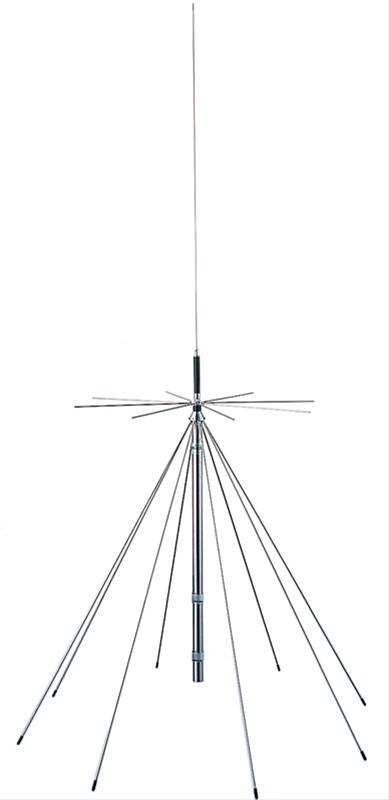
The discone: one antenna for many bands
This SDR uses a discone antenna. Its broad design lets one antenna receive a wide range of signals instead of being built for only one band. That flexibility makes it a good general-purpose antenna for exploring the spectrum.
The tradeoff is performance. A discone is reasonably capable across many frequencies, but it is not optimized to be exceptional on any one of them. A dedicated antenna made for a specific band will usually hear weaker signals better on that band.
What this means for you: start with strong or nearby VHF and UHF signals. If something sounds weak or is missing, the cause may be antenna efficiency, feed-line loss, local electrical noise, terrain, distance or propagation—not a problem with the receiver. Think of this SDR as a wide listening window, not a perfect antenna system for every frequency it can tune. That’s why I’m adding dedicated antennas alongside it—one for the low frequencies, and one for aircraft and the higher bands, each built to hear its own part of the spectrum.
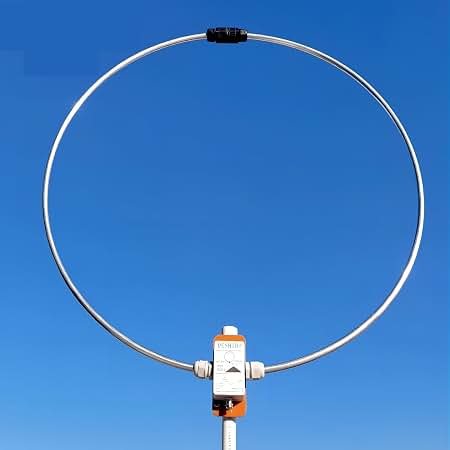
A second antenna for the low frequencies
The discone is a fine all-rounder up high, but it gives up a lot down low. So a magnetic loop antenna now handles HF and the lower bands. A loop is built for those frequencies: it stays small for the long wavelengths it hears, and it is quiet—it rejects much of the local electrical noise that buries weak signals, so faint shortwave, medium-wave and longwave stations come through more clearly.
What the loop is for: it is dedicated to the low end—HF, medium-wave and longwave—where the discone is weakest. The discone still hears everything else, and a dedicated antenna for the higher bands is on the way.
A third antenna for aircraft and the higher bands
The last piece is an antenna tuned for the VHF/UHF range—the aircraft band, air-traffic voice, and the higher frequencies. Once it’s up, every part of the spectrum has an antenna built to hear it: the loop down low, this one up high, and the discone covering everything in between.
A Few Things to Know
- This is a shared receiver. Another visitor may change the profile or frequency while you are listening.
- The elevated wideband discone antenna covers many frequencies, although a band-specific antenna may hear a particular band more strongly.
- HF reception changes with time of day, season, solar activity, and ionospheric conditions.
- You cannot transmit through this page. It is a safe, read-and-listen-only learning tool.
- The built-in Chat panel lets visitors compare discoveries. Questions are also welcome on the K5NWZ-SDR Discord channel.
Ready to Explore?
Choose one of the presets above, listen, and watch for bright signals. If you want to move from listening to making your own amateur-radio contacts, start with our licensing guide.
OPEN THE LIVE RECEIVER ↗